EasyManua.ls Logo

Antunes VCTM-2 - User Manual

Antunes VCTM-2
24 pages
Print Icon
To Next Page IconTo Next Page
Loading...
®
Vertical Contact Toaster
Owners Manual
Model VCTM-2
www.antunes.com
Manufacturing Number
9210914, 9210916, 9210959,
9210960 & 9210983
CAUTION: Read all instructions before using the unit.
Original Instructions
P/N 1011436 Rev. H 02/21
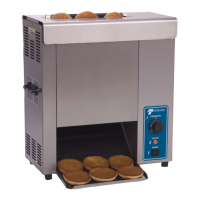
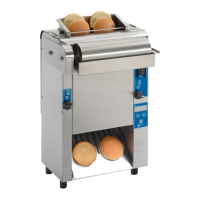
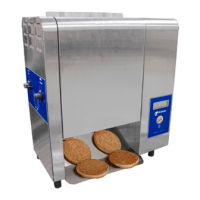
Butter Wheel unit shown

Questions and Answers

  • K
    Kylie WallaceAug 20, 2025
    What to do if the Antunes VCTM-2 Toaster has no control display?
    • B
      Billy FoxAug 20, 2025
      If the Antunes Toaster control display is not working, first, ensure the power cord is properly plugged into the electrical outlet. Check the circuit breakers and reset them if necessary. If they continue to trip, inspect the power cord, plug, and outlet for any damage. Also, try turning the unit off and then on again to reset the power switch.
  • N
    nicholas18Aug 22, 2025
    Why is my Antunes VCTM-2 Toaster not toasting buns adequately?
    • C
      Chris TaylorAug 22, 2025
      If your Antunes Toaster isn't toasting buns enough, check the compression settings and adjust them as needed to achieve the desired toast quality. Inspect the release sheet for cleanliness, wear, wrinkles, or tears, and clean or replace it. Also, clean the platen if there's butter or debris buildup. Finally, adjust the light/dark setting to your preference.
  • A
    Andrew GarciaAug 25, 2025
    What to do if Antunes VCTM-2 Toaster displays ERR 10?
    • R
      Rachel JonesAug 25, 2025
      If the Antunes Toaster displays ERR 10, it means the internal temperature of the control compartment has exceeded 160° F. Ensure the fan intake on the back of the toaster is clean, unblocked, and has proper spacing. Clean the cooling fan if necessary, and if the problem persists, contact Antunes Technical Service. Also, check if the cooling fan is functioning; if not, replace it.
  • B
    Bruce HigginsAug 26, 2025
    What to do if my Antunes VCTM-2 Toaster displays ERR 10?
    • R
      Robin DavisAug 26, 2025
      If your Antunes Toaster displays ERR 10, it indicates that the internal temperature of the control compartment has exceeded 160° F. Ensure that the fan intake on the back of the toaster is clean, not blocked, and has proper spacing. Clean the cooling fan if needed. If the issue persists and the fan is not rotating, contact Antunes Technical Service for assistance or replace the fan.
  • R
    roberto62Aug 28, 2025
    Why is there no control display on my Antunes VCTM-2?
    • D
      daniel60Aug 28, 2025
      If there is no control display on your Antunes Toaster, several factors could be the cause. First, ensure the power cord is properly plugged into the electrical outlet. Also, check the circuit breakers and reset them if they have tripped. If they continue to trip, inspect the power cord, plug and outlet for any damage. If the power switch is not turned on, turn the unit off and then on again. If problems persist, contact Antunes technical service for assistance.
  • D
    Dana NewtonAug 29, 2025
    What to do if crowns and/or heels must be forced into the Antunes Toaster, and buns are sticking and burning?
    • A
      angela93Aug 30, 2025
      If crowns and/or heels must be forced into the Antunes Toaster, and buns are sticking and burning, the belt wraps may be dirty, worn, or damaged, so clean or replace them. The platen may have butter or debris buildup, so clean the platen. The release sheet may be dirty, worn, or damaged, so clean or replace it. The conveyor chains may be loose, so adjust them. The compression settings may be incorrect, so use the recommended settings or adjust as needed. Ensure that crowns are inserted in the front conveyor and heels in the rear conveyor, with the cut side of the buns facing the platen. If the drive motor stalls intermittently, contact Antunes Technical Service for assistance.
  • R
    Robert FarmerAug 31, 2025
    What to do if the conveyor does not rotate on my Antunes Toaster?
    • A
      Anne MartinezAug 31, 2025
      If the conveyor does not rotate on your Antunes Toaster, it could be due to several reasons. The conveyor belt or chain may have stretched, causing the chain to skip on the sprockets, so measure and adjust the conveyor belt chains. There may be a loose setscrew on one of the drive sprockets or a loose motor drive chain, so contact Antunes Technical Service for assistance. Also, an internal part or object may be interfering within the conveyor system, so check for any interference and clear it as necessary.
  • C
    Christina MartinezSep 2, 2025
    Why are my buns not toasting adequately in the Antunes VCTM-2 Toaster?
    • K
      Kevin VangSep 2, 2025
      If your buns are not toasting adequately in the Antunes Toaster, the compression settings may be incorrect, so use the recommended setting or adjust compression knobs as needed to achieve desired toast quality. Also, the release sheet may be worn or need cleaning, so inspect it for cleanliness, worn spots, wrinkles, or tears, and clean or replace it. The platen may have butter or debris buildup, so clean the platen. Finally, the light/dark setting may need to be adjusted, so adjust it.
  • H
    Hannah HudsonSep 4, 2025
    What to do if the conveyor skips or hesitates on my Antunes VCTM-2?
    • J
      Julie MillerSep 4, 2025
      If the conveyor skips or hesitates on your Antunes Toaster, it could be due to several reasons. The conveyor chains may be loose, so measure and adjust the conveyor belt chains. The belt wrap clip may not be attached, so verify both clips on each belt wrap are attached, and reattach if necessary. If there is a loose or misaligned sprocket, or the motor drive chain is loose or stretched, or the drive motors have failed, contact Antunes Technical Service for assistance.
  • C
    cturnerSep 6, 2025
    Why is my Antunes Toaster making unusual sounds?
    • J
      Julie AustinSep 6, 2025
      If your Antunes Toaster is making unusual sounds, the fan may need to be cleaned or replaced, so clean the fan or contact Antunes Technical Service for assistance. Also, the conveyor belt chains may have stretched or been adjusted incorrectly, so adjust the conveyor belt chains. The motor drive chain may need lubrication, so lubricate the chain. If the conveyor shaft bearing is binding, contact Antunes Technical Service for assistance.

Summary

Safety Guidelines

Safe Installation Practices

Guidelines for safe unit installation and compliance with codes.

Safe Operation Practices

Precautions for safe operation, including grounding and usage.

Product Specifications

Unit Installation Guide

Unpacking and Package Contents

Steps for removing the unit and checking included accessories.

Pre-Operation Setup

Guidelines before placing the toaster into service.

Component Assembly

Instructions for installing parts like the bun chute and butter wheel.

Operating the Toaster

System Controls and Resets

Fault Codes and Corrections

Error Code Reference

Comprehensive list of error codes and their corresponding corrective actions.

Daily Maintenance

Replacing Belt Wraps

Conveyor Belt Maintenance

Troubleshooting Common Issues

Troubleshooting Guide

Table listing common problems and their solutions.

Replacement Parts List

Antunes VCTM-2 Specifications

General IconGeneral
ManufacturerAntunes
ModelVCTM-2
TypeConveyor Toaster
Voltage120V
ConstructionStainless Steel
Power1.5 kW
Toast CapacityUp to 300 slices per hour

Related product manuals