EasyManua.ls Logo

Antunes VCT-2 - User Manual

Antunes VCT-2
26 pages
Print Icon
To Next Page IconTo Next Page
Loading...
P/N 1011550 Rev. D 03/21
®
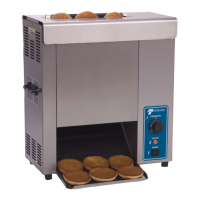
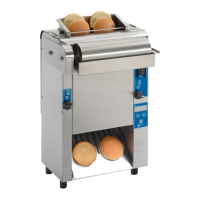
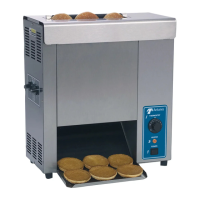
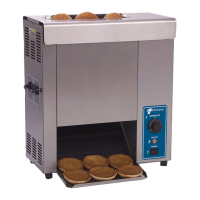
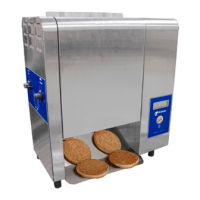
Mini Contact Toaster
Owners Manual
Model VCT-2
Mfg. Numbers:
9210922 & 9210923
www.antunes.com
Original Instructions
CAUTION: Read all instructions before using the machine

Questions and Answers

  • J
    Jeremy SandersSep 23, 2025
    What to do if buns getting caught in bun chute area of Antunes VCT-2 Toaster?
    • D
      Dr. Gary Leonard Jr.Sep 23, 2025
      If buns are getting caught in the bun chute area of your Antunes Toaster, it is possible that the bun chute is installed incorrectly. Reinstall the bun chute correctly.
  • C
    Cassidy YuAug 23, 2025
    How to fix ERR 11, 12, 15, or 17 on Antunes Toaster?
    • W
      Whitney MitchellAug 23, 2025
      If your Antunes Toaster displays ERR 11, 12, 15, or 17, it indicates an electrical failure. Perform a factory reset by ensuring the power switch is off, then press and hold the Up & Down arrow buttons together while turning the power switch on. The display will show FR (factory reset).
  • K
    Kayla WhiteAug 25, 2025
    What to do if my Antunes VCT-2 displays ERR 11, 12, 15 or 17?
    • D
      derek43Aug 26, 2025
      If the Antunes Toaster displays ERR 11, 12, 15 or 17, it indicates an electrical failure. Try performing a factory reset by turning the power switch off, then press and hold the Up & Down arrow buttons together while turning the power switch back on. The display should show FR (factory reset). If the error code persists, contact Antunes technical service.
  • M
    michael16Aug 26, 2025
    What does ERR 10 mean on my Antunes VCT-2?
    • S
      Scott StoutAug 27, 2025
      If the Antunes Toaster displays ERR 10, it means the internal temperature of the control compartment has exceeded 160° F. Make sure the fan intake on the back of the toaster is clean, unblocked, and has proper spacing. Clean the cooling fan if needed. If the error persists, contact your authorized service provider. Also, check if the cooling fan is working; if not, replace it.
  • J
    Jacqueline ObrienAug 27, 2025
    What to do if Antunes Toaster has no control display?
    • B
      Bradley HenryAug 27, 2025
      If the Antunes Toaster's control display is not working, start by ensuring the power cord is correctly plugged into the electrical outlet. Also, check the circuit breakers; reset them if they've tripped. If issues persist, inspect the power cord, plug, and outlet for any damage. Try turning the unit off and on again using the power switch. If these steps do not solve the problem, it could be due to damaged power switch.
  • S
    Scott SimmonsSep 18, 2025
    How to fix buns not toasting adequately in Antunes VCT-2?
    • D
      David WallsSep 18, 2025
      If buns are not toasting adequately in your Antunes Toaster, the compression settings might be incorrect; use the recommended setting or adjust the compression knobs as needed. The release sheet may be worn or need cleaning, so inspect it for cleanliness, worn spots, wrinkles, or tears, and clean or replace it. There could also be butter or debris buildup on the platen, so clean the platen. Finally, the light/dark setting may need adjustment; see the Operation section of this manual.
  • W
    Willie SchneiderSep 14, 2025
    What to do if the conveyor skips or hesitates on my Antunes VCT-2?
    • F
      Frances RichardsonSep 14, 2025
      If the conveyors on your Antunes Toaster skip or hesitate, it could be due to loose conveyor chains, in which case you should measure and adjust them. Another cause could be that the belt wrap clip isn't attached, so verify both clips on each belt wrap are attached, reattaching if necessary. In other cases, the issue might be a loose or misaligned sprocket, a loose or stretched motor drive chain, or failed drive motors. For these issues, it is best to contact Antunes technical service, your maintenance person or authorized service provider.
  • M
    Matthew MitchellSep 15, 2025
    Why does the conveyor not rotate on my Antunes VCT-2?
    • D
      Daniel RomeroSep 15, 2025
      If the conveyor on your Antunes Toaster isn't rotating, it could be due to a stretched conveyor belt/chain, causing it to skip on the sprockets; measure and adjust the conveyor belt chains. Alternatively, there might be a loose setscrew on one of the drive sprockets, a loose motor drive chain, or an internal part interfering with the conveyor system. Check for any interference and clear it as necessary. For loose set screws or motor drive chains, contact Antunes technical service, your maintenance person or authorized service provider.
  • L
    Lori CrawfordSep 6, 2025
    What to do if there is no control display on my Antunes VCT-2 Toaster?
    • J
      Jason Mckinney Jr.Sep 6, 2025
      If the Antunes Toaster's control display is not showing anything, start by checking if the power cord is properly plugged into the electrical outlet. Also, check the circuit breakers and reset them if necessary. If the issue continues, inspect the power cord, plug, and outlet for any signs of damage. If the power switch isn't working, try turning the unit off and on again. If the problem persists after these steps, it may require professional assistance.
  • L
    Lauren ReedSep 3, 2025
    What to do if Antunes VCT-2 Toaster conveyor skips or hesitates?
    • S
      Stephanie RobinsonSep 3, 2025
      If the conveyor on your Antunes Toaster skips or hesitates, it could be due to loose conveyor chains; measure and adjust them. Check that both clips on each belt wrap are attached, reattaching them if necessary. The roller tensioner might not be adjusted properly, so measure and adjust it.

Summary

Service and Support

Technical Assistance Contact

Contact Antunes Customer Service for missing/damaged parts or operational issues.

Safety and Service Precautions

General Safety Guidelines

Comply with codes, use for intended purpose, ensure proper grounding.

Electrical Safety Warnings

Do not modify plug, use grounded connector, ensure proper grounding. Avoid extension cords.

Operation and Maintenance Safety

Do not operate if damaged, block openings, immerse unit, or let cord hang. Use soft cloths for cleaning.

Installation and Setup

Initial Installation Steps

Provide 3 inches space, remove packing, clean removable parts, wipe unit surfaces.

Release Sheet and Thickness Settings

Toaster Operation

Initial Power-Up and Warm-up

Turn on power, check for clicking sound, unit warms up, displays 'Lo-P' then 'USE'.

Toasting Product and Handling Issues

Insert buns correctly. Use platen tool with scrub pad to dislodge stuck product.

Operational Adjustments and Resets

Maintenance Procedures

Troubleshooting Common Issues

Display, Conveyor, and Toasting Problems

Addresses no display, conveyor issues, and inadequate toasting quality.

Advanced Troubleshooting

Sticking Buns, Sounds, and Errors

Covers bun sticking, unusual sounds, and troubleshooting specific error codes.

Electrical Wiring and Diagrams

Antunes VCT-2 Specifications

General IconGeneral
BrandAntunes
ModelVCT-2
CategoryToaster
LanguageEnglish

Related product manuals