EasyManua.ls Logo

Antunes VCTM-2 - User Manual

Antunes VCTM-2
24 pages
Print Icon
To Next Page IconTo Next Page
Loading...
®
Vertical Contact Toaster
Owners Manual
Model VCTM-2
www.antunes.com
Manufacturing Number
9210914, 9210916, 9210959,
9210960 & 9210983
CAUTION: Read all instructions before using the unit.
Original Instructions
P/N 1011436 Rev. H 02/21
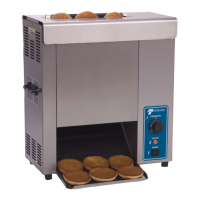
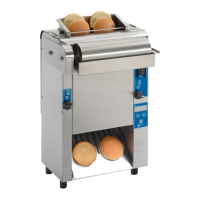
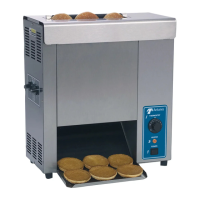
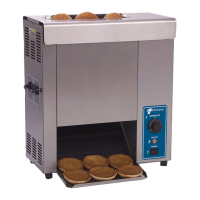
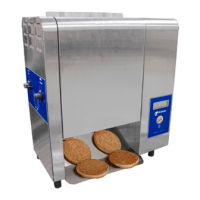
Butter Wheel unit shown

Questions and Answers

  • J
    Jamie GarzaSep 8, 2025
    What to do if buns are getting caught in the bun chute area of my Antunes Toaster?
    • R
      robertcastilloSep 8, 2025
      If buns are getting caught in the bun chute area of your Antunes Toaster, the bun chute may be installed incorrectly, so reinstall the bun chute correctly.
  • S
    Sheri Nguyen DDSSep 10, 2025
    Why is the conveyor not rotating on my Antunes Toaster?
    • M
      Matthew GonzalezSep 10, 2025
      If the conveyor on your Antunes Toaster isn't rotating, it could be due to a few reasons. The conveyor belt/chain may have stretched, causing it to skip on the sprockets. Also, check for any internal parts or objects interfering with the conveyor system and clear them if necessary.
  • M
    Matthew GarzaSep 12, 2025
    Why does the conveyor skip or hesitate on my Antunes VCTM-2 Toaster?
    • M
      Michael MartinezSep 12, 2025
      If the conveyor on your Antunes Toaster skips or hesitates, the conveyor chains might be loose. Also, check that both clips on each belt wrap are attached, and reattach them if necessary. Measure the roller tensioner and adjust it if necessary.
  • D
    David EdwardsSep 13, 2025
    Why does the conveyor not rotate on my Antunes VCTM-2?
    • Z
      Zachary GuerraSep 13, 2025
      If your Antunes Toaster's conveyor isn't rotating, it might be due to: * A stretched conveyor belt/chain. Measure and adjust the conveyor belt chains. * An internal part or object interfering within the conveyor system. Check for any obstructions and clear them as necessary.
  • H
    handersonSep 15, 2025
    How to fix buns not toasting adequately in the Antunes Toaster?
    • B
      Beverly CisnerosSep 15, 2025
      If the buns are not toasting adequately in your Antunes Toaster, consider the following: * The compression settings may be incorrect. Adjust the compression knobs as needed to achieve the desired toast quality. * The release sheet may be worn or need cleaning. Inspect it and clean or replace it as necessary. * There might be butter or debris buildup on the platen. Clean the platen. * The light/dark setting may need adjustment. Adjust the light/dark setting.
  • P
    pschneiderSep 18, 2025
    What to do if buns are getting caught in bun chute area of Antunes VCTM-2 Toaster?
    • A
      Andre CarsonSep 18, 2025
      If buns are getting caught in the bun chute area of your Antunes Toaster, it is possible that the bun chute is installed incorrectly. Reinstall the bun chute correctly.

Summary

Safety Guidelines

Safe Installation Practices

Guidelines for safe unit installation and compliance with codes.

Safe Operation Practices

Precautions for safe operation, including grounding and usage.

Product Specifications

Unit Installation Guide

Unpacking and Package Contents

Steps for removing the unit and checking included accessories.

Pre-Operation Setup

Guidelines before placing the toaster into service.

Component Assembly

Instructions for installing parts like the bun chute and butter wheel.

Operating the Toaster

System Controls and Resets

Fault Codes and Corrections

Error Code Reference

Comprehensive list of error codes and their corresponding corrective actions.

Daily Maintenance

Replacing Belt Wraps

Conveyor Belt Maintenance

Troubleshooting Common Issues

Troubleshooting Guide

Table listing common problems and their solutions.

Replacement Parts List

Antunes VCTM-2 Specifications

General IconGeneral
ManufacturerAntunes
ModelVCTM-2
TypeConveyor Toaster
Voltage120V
ConstructionStainless Steel
Power1.5 kW
Toast CapacityUp to 300 slices per hour

Related product manuals