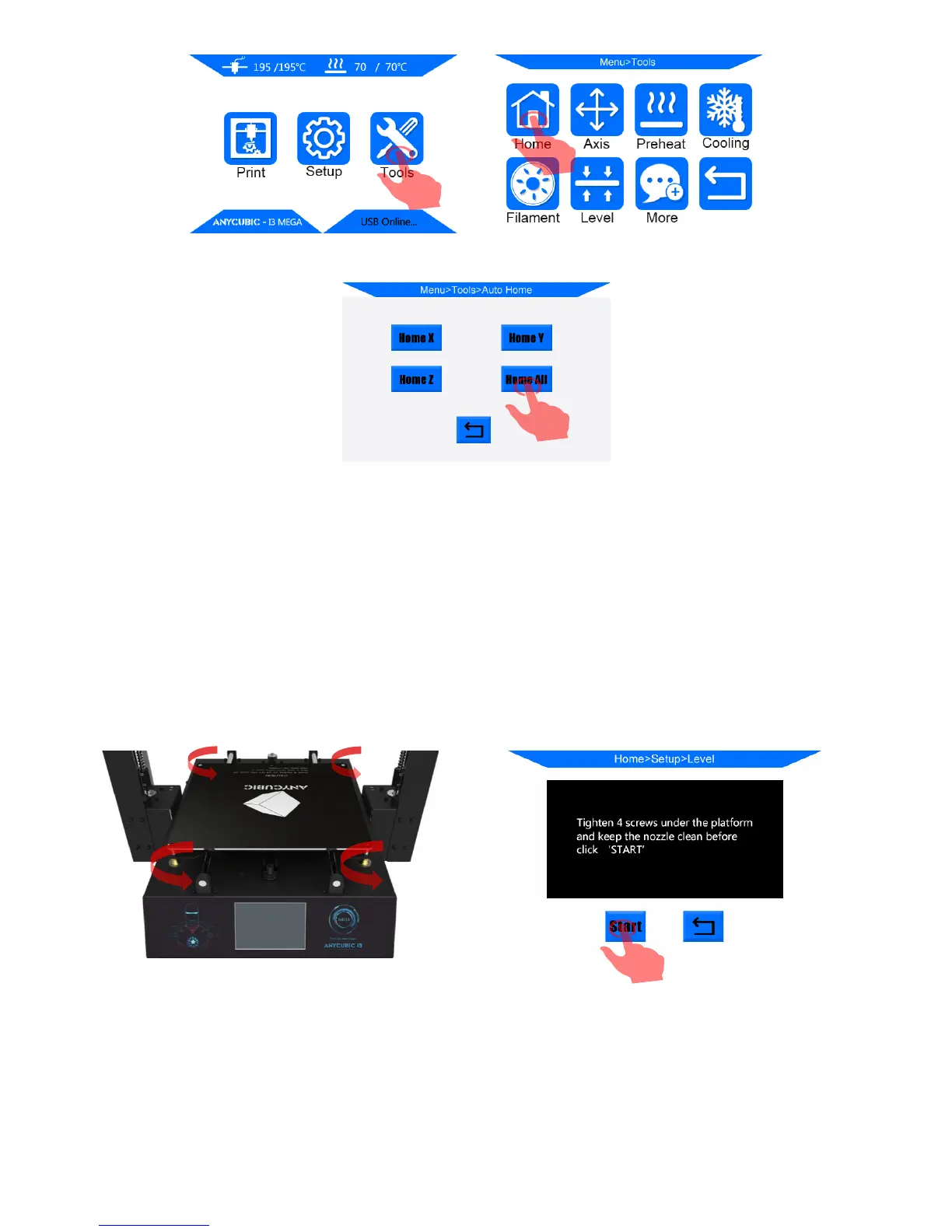
11
(Figure 11)
3. Tighten the 4 screws/nuts underneath the print platform till stop (Fig. 12), to create a
distance between the platform and print head.
Click “Tools”-->“Level”, the machine will auto home first and then the X/Y/Z axis will
be locked and cannot be moved manually. Next, click “Start” in the pup-up window.
(Figure 12)
4. The print head will be traveling to the 4 corners of the print platform anti-clockwisely.
When it arrives at the first point, please slowly loosen the corresponding nut (Fig. 13), so
the platform will be gradually bouncing back toward the print head and proximity sensor













 To Next Page