25
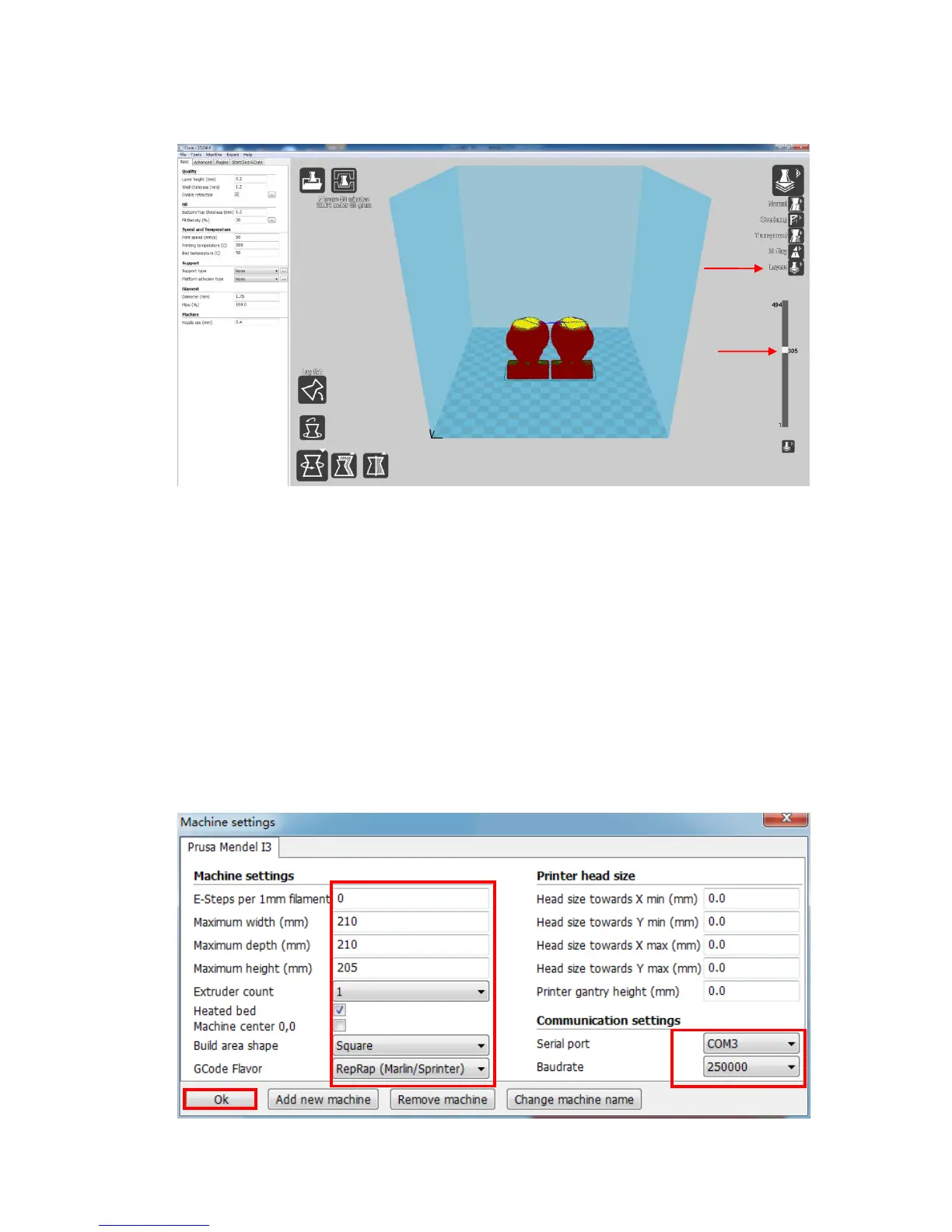
before print starts. Such as the Layers mode: to view the toolpath of the print head to
check if there are skipped layers or gaps.
(Figure 26)
5.2.3 Cura settings
(1) Machine settings
Refer to Fig. 27, click “Machine”--->“Machine settings” to input those suggested
parameters into the corresponding column. Please choose the same serial port which
appears in the “Device Manager” (refer to Fig. 21 and it is COM3 in this example, you
may have a different COMx), and set the Baudrate to 250000.
(Figure 27)













 To Next Page