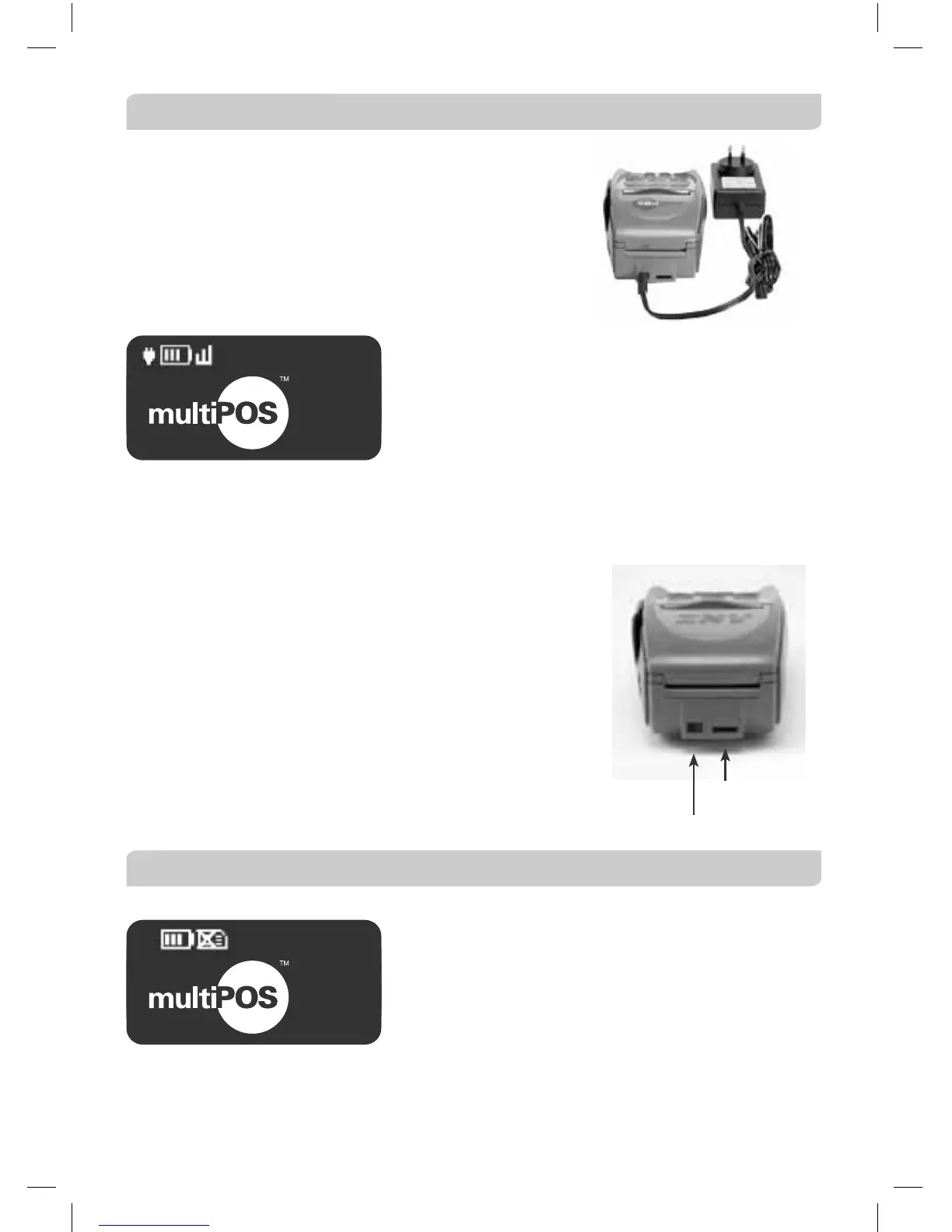
9.5 Charge and Communication Connection Points
MultiPOS Mobile has two connection points on the back
of the terminal (below the printer cover).
The connection points include:
• Power Connector
• Serial Connector (for use by the manufacturer only).
Battery
The multiPOS Mobile terminal features a 7.2 V /
1600 mAH Li-Ion (Lithium Ion) battery that will
allow a minimum of 100 basic Transactions to be
completed with one fully charged battery. A full
charge of the battery will take up to 4 hours to
complete.
The plug symbol shown on the upper left hand side of the display screen indicates
that the device is connected into the power socket in the wall.
“Bar Scrolling” on the terminal’s display indicates that charging is in progress.
Before commencing a shift, it is important to fully
charge the battery to ensure the maximum number of
Transaction can be completed.
The terminal has a “power down” default of 10
minutes to help conserve battery life. The “power
down” feature allows the terminal to switch off
automatically after 10 minutes of inactivity. Timing
can be altered by contacting ANZ Merchant Services
on 1800 039 025.
9.6 SIM Card
A SIM Card is provided with your multiPOS Mobile
terminal. If your SIM Card cannot be read or has
not been inserted, the following symbol will be
displayed on your screen.
The symbol may also be displayed if the terminal
is unable to find network coverage or is not
connected to the network.
01/01/2005 12:08
SWIPE
CARD
Battery Charge Connection
Not Used
01/01/2005 12:08
SWIPE
CARD



 To Next Page