18. Terminal Error Messages
Most messages are self-explanatory. Some may require assistance from ANZ Merchant
Services. When contacting ANZ Merchant Services, please ensure you have your
Merchant Identification or Terminal Identification number available.
If an error message appears on the terminal but is not listed below, please call ANZ
Merchant Services for assistance.
Magnetic Stripe Card Processing
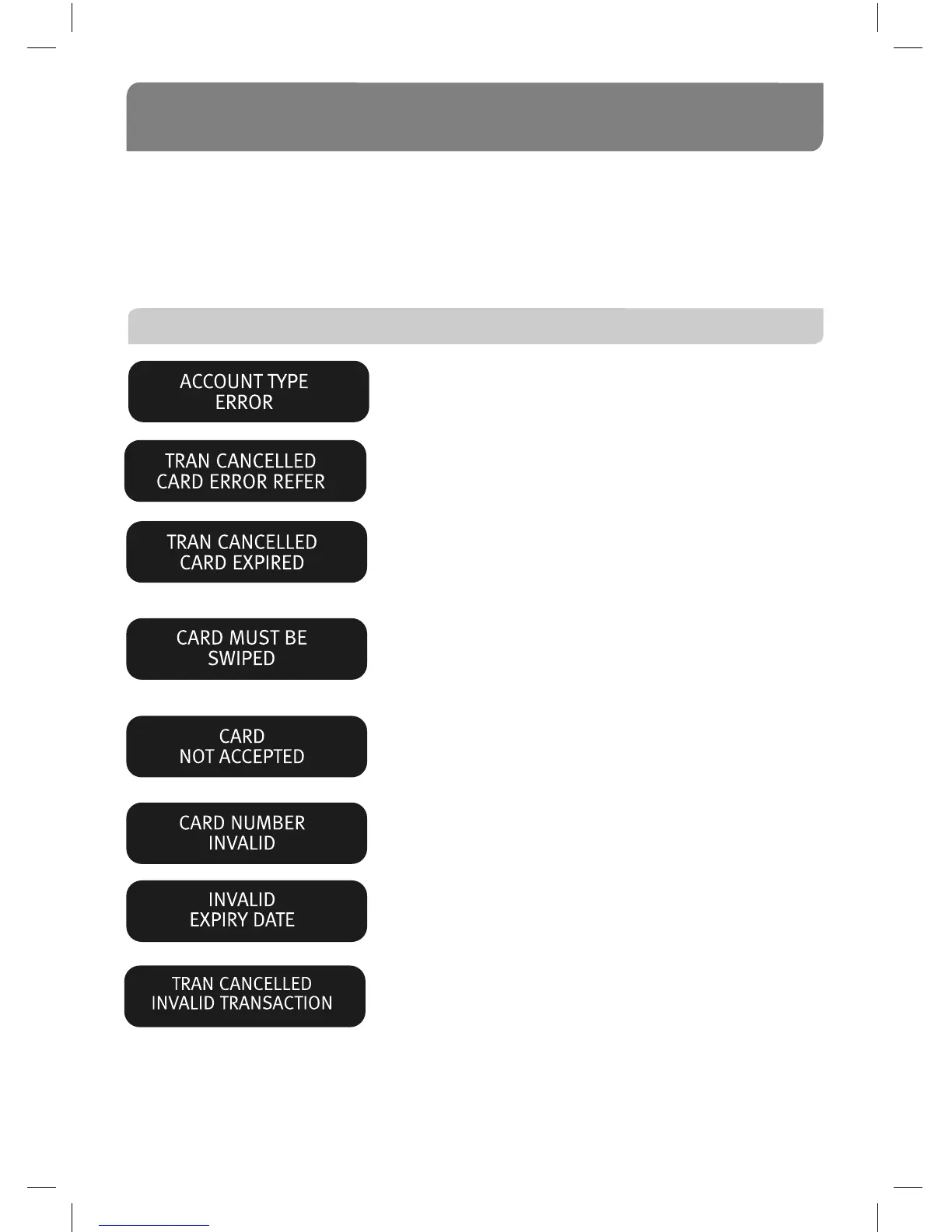
The account selected is not available. Press CLEAR
and ask the cardholder to select another account.
The Issuing Bank has rejected the card. Refer the
cardholder to the Issuer and request an alternative
method of payment.
The card is no longer valid. Refer the cardholder
to the Issuer and request an alternative method of
payment.
A card number for a debit card account (CHQ or SAV)
cannot be manually entered. Press CLEAR then swipe
the card through the Magnetic Stripe Card Reader.
Follow the display screen prompts.
The ANZ network does not accept this card. Refer the
cardholder to the Issuer and request an alternative
method of payment.
Card number keyed incorrectly. Press CLEAR then
re-key the card number.
The “expiry” date entered is not the correct format.
Press CLEAR and re-key the date in the format
“mmyy” eg. 1206.
An invalid Cash-out or Refund Transaction has been
attempted where the Transaction type has been
disabled. Please contact ANZ Merchant Services.



 To Next Page