10. Modes of Operation
10.1 Start Screen
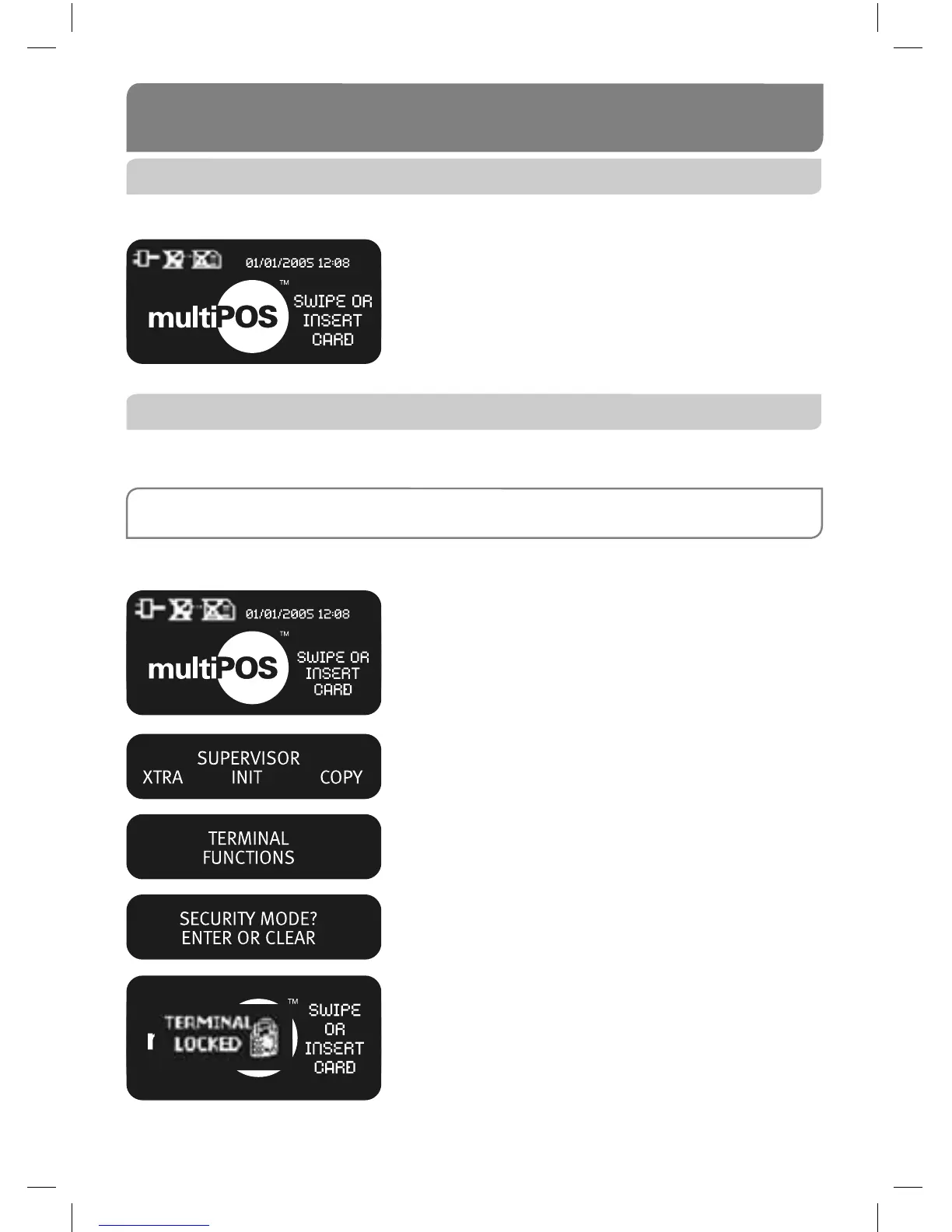
Your ANZ multiPOS terminal is ready to begin accepting Transactions.
10.2 Security Mode
Security Mode is used to prevent unauthorised use of the terminal when it is left
unattended.
NOTE: Your multiPOS and EftPOS Merchant Card must be used to exit Security Mode. Please ensure that
the card is available prior to entering Security Mode.
How to Enter Security Mode
From the start screen, keep pressing ENTER until
the ‘Supervisor’ screen is displayed.
Select XTRA from the menu by pressing the CHQ
soft-function key.
Press 1 to enter Security Mode.
Press ENTER to confi rm Security Mode is required.
This screen will display when the terminal is locked
in Security Mode.



 To Next Page