EasyManua.ls Logo

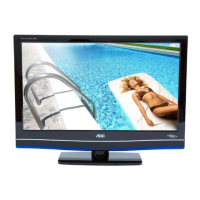
AOC LE22H067 - User Manual

AOC LE22H067
37 pages
Print Icon
To Next Page IconTo Next Page
Loading...
1
TÉLÉVISION À HAUTE DÉFINITION
INTERFACE MULTIMÉDIA HAUTE DÉFINITION
LED TV User Manual
LE22H067
LE24H067
www.aoc.com
2010 AOC. All Rights Reserved.

Other manuals for AOC LE22H067

Questions and Answers

  • A
    Angela WalkerAug 21, 2025
    What to do if my AOC LED TV remote control does not operate?
    • S
      Shannon LeeAug 21, 2025
      If your AOC LED TV remote control isn't working, first check the polarity of the batteries or replace them. Then, point the remote at the sensor on the front of the TV, ensuring nothing is blocking it. Fluorescent lamps can also interfere with the remote's operation, so try turning them off.
  • T
    tanya79Sep 4, 2025
    What to do if my AOC LED TV is locked to one channel?
    • Y
      youngheatherSep 4, 2025
      If your AOC LED TV is locked to one channel, perform Auto Program to add receivable channels that are not present in the TV’s memory.
  • K
    Kathy Martinez MDSep 2, 2025
    How to improve poor picture quality on my AOC LED TV?
    • L
      Lonnie BondSep 3, 2025
      To improve poor picture quality on your AOC LED TV, adjust the resolution, and also adjust Pitch and Phase.
  • R
    Robert TaylorSep 1, 2025
    What to do if my AOC LED TV cannot receive any channels?
    • J
      John ArnoldSep 1, 2025
      If your AOC LED TV isn't receiving channels, ensure the power cord is securely connected and the TV is turned on. Check the antenna/cable connections. Also, make sure the Cable setting is correct for your TV signal source.
  • L
    Laura MorrisAug 30, 2025
    How to fix double images or ghosts on my AOC LED TV?
    • L
      Luke HardyAug 31, 2025
      To fix double images or ghosts on your AOC LED TV, check the antenna and cable connections. Also, check the antenna's location and direction.
  • P
    Philip LawrenceAug 29, 2025
    Why does my AOC LED TV have no picture or no signal?
    • V
      Valerie WolfAug 29, 2025
      If your AOC LED TV shows no picture or signal from a PC, ensure the PC is correctly connected using either the PC IN (with an HD15 cable) or HDMI IN. Verify the output signal from the PC is a supported format. Turn the PC off, confirm the connection, and restart the PC to allow plug and play to auto-detect the TV and set up PC timing. Also, check that PC Power Management is activated.
  • A
    amberthomasAug 27, 2025
    Why does my AOC LED TV suddenly turn off?
    • R
      Robert HintonAug 27, 2025
      If your AOC LED TV turns off unexpectedly, check if the Sleep Timer is activated or confirm the Duration setting of Timer automatically. Also, verify the PC Power Management settings in General Settings.
  • D
    Dr. Daniel PetersAug 26, 2025
    How to fix a noisy picture on my AOC LED TV?
    • V
      victoria92Aug 27, 2025
      To fix a noisy picture on your AOC LED TV, ensure the antenna is connected with a 75-ohm coaxial cable. Keep the antenna cable away from other cords, and use an undamaged antenna cable to avoid interference.
  • R
    Richard HansenAug 25, 2025
    What to do if my AOC LED TV has good picture but no sound?
    • S
      Sarah VaughnAug 25, 2025
      If your AOC LED TV has a good picture but no sound, check the volume control and make sure that the mute function is not enabled ( is not on the screen). If you are using headphones, disconnect them. If you're using HDMI, ensure the connected equipment's audio output is set to PCM. This TV's HDMI inputs support PCM 32, 44.1 and 48 kHz, 16, 20 and 24bits.
  • M
    Michael HolderAug 23, 2025
    How to fix no color or dark picture on my AOC LED TV?
    • C
      christophermcgeeAug 23, 2025
      To fix the color on your AOC LED TV, press the PICTURE button to select a different Picture Mode. You can also adjust the Picture Mode options within the Picture settings.

Summary

Important Information

Important Safety Information

Detailed safety precautions and guidelines for operating the TV safely.

WARNING

Alerts users to potential hazards like electric shock and improper usage.

CAUTION

Advises on preventing electric shock and potential damage from improper plug use.

Usage Instructions

Installation

Guidance on setting up the TV, including placement and wall-mounting.

Electric Shock

Precautions against electric shock, especially with wet hands or damaged cords.

Carrying the TV

Guidelines for safely carrying the TV, emphasizing proper grip and avoiding shocks.

Servicing

Emphasizes that servicing should only be done by qualified personnel.

Wall-Mount

Instructions and precautions for mounting the TV on a wall using a bracket.

Lightning Storms

Recommends unplugging during lightning storms to prevent surge damage.

Ventilation

Importance of ventilation slots and openings to prevent overheating.

AC Power Cable

Guidelines for using the AC power cord, including safety and damage prevention.

Moisture

Advises against exposing the TV to moisture or liquids to prevent fire or shock.

Overloading

Warns against overloading electrical outlets with too many appliances.

Controls & Connections

Remote Control Buttons

Explains the function of each button on the remote control.

HDMI Input Connections

High-definition multimedia interface for connecting digital audio/video equipment.

PC Input Connection

Connects a PC's video output to the TV for use as a monitor.

Set-Up

Attaching the TV Base

Step-by-step guide for assembling and attaching the TV stand base.

Wall-Mounting Procedure

Detailed procedure for removing the stand and preparing for wall mounting.

Connecting TV

Antenna and Cable Connection

How to connect cable or antenna systems for programming.

High Definition Interface

Connecting HD sources via HDMI or component video for best picture quality.

PC Connection Guide

Connecting the TV to a PC using HD15 or DVI/HDMI output.

HDMI Connection Guide

Connecting HDMI-equipped devices using HDMI cables.

USING AOC TV

Search TV Channel

Guide to initiating and completing the TV channel search.

Initial TV Setup

Guide through the initial setup wizard for language and time.

Switching Input Source

Adjust Video Setting

VIDEO Menu

Navigating the VIDEO menu to adjust picture settings.

Adjust Audio Setting

AUDIO Menu

Navigating the AUDIO menu to adjust sound settings.

Adjust PC Setting

VGA Settings Menu

Accessing PC settings for VGA input.

Feature Setup

FEATURE Menu

Accessing various features like Menu Language, Time, and Parental Control.

Parental Control Settings

Configuring parental control settings like button lock and rating locks.

Troubleshooting

No Picture Issues

Solutions for when the TV displays no picture.

Audio Problems

Troubleshooting steps for audio issues like no sound or noisy audio.

Channel Reception Problems

Steps to take if the TV cannot receive channels.

PC Input Troubleshooting

Common problems and solutions when connecting the TV to a PC.

Picture Quality Improvement

Tips for improving picture quality and resolving common issues.

Noisy Picture Solutions

Solutions for dealing with noisy or distorted picture signals.

AOC LE22H067 Specifications

General IconGeneral
Screen Size22 inches
Display TypeLCD
Aspect Ratio16:9
Brightness250 cd/m²
Contrast Ratio1000:1
Response Time5 ms
Speakers2 x 3W
Weight3.5 kg
Resolution1920 x 1080 pixels
ConnectivityHDMI, VGA, USB
Viewing Angle170° (Horizontal), 160° (Vertical)
InputsHDMI, VGA, Composite, Component
Power Consumption<0.5W (standby)

Related product manuals