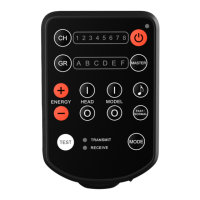
Hand hold E2 (a) and set it to
Transmit Mode (Mode Indicator [7]
<TRANSMIT> blinks green).
Set E2 (a) and E2 (b) to the same
radio channel.
Press and hold down the Test Button
[8] on the handheld E2 (a) until the
camera is released. ***
*** For a single shot, set the camera to single
mode. If the camera is set to continuous mode, the
camera will continue shooting as long as the Test
Button [8] is held down; because of a lag effect, the
camera might take a few more shots after the Test
Button [8] has been released. Continuous mode is
recommended for shooting with 2 fps or faster.
• 30 •


 To Next Page