22
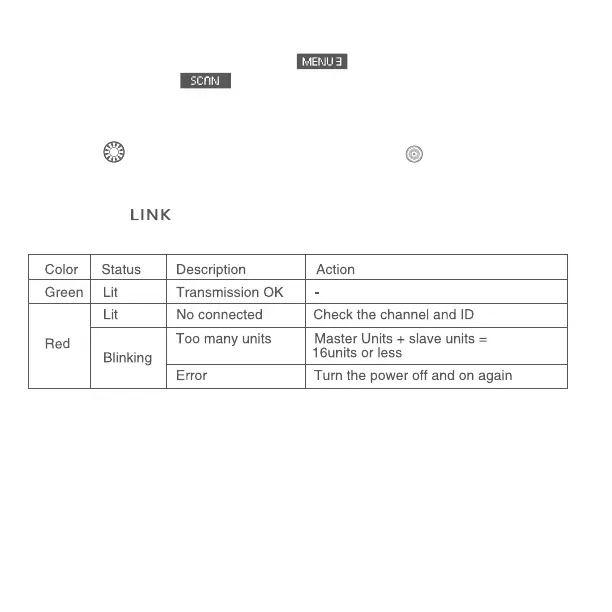
4.2 Scanning while Ch.1 to 15 is set:
Press function button 4 to display
, and then function button 3
corresponding to . The radio reception status is displayed in a
graph. The higher the peak of the channel in the graph, the better the
radio reception signal.
Turn<
>to select from Ch.1 to 15, and press< >button to return to
shooting-ready state.
The color of <
>lamp changes depending on the transmission status of
the master unit and the slave unit.
Note:
1).If the transmission channels of the master unit and slave unit are
different, the slave unit does not re. Set both to the same number, or set
both to “AUTO”.
2).If the wireless radio IDs of the master unit and slave unit are different,
the slave unit does not re.


 To Next Page