30
TC5-2V2SA.rev.05
TC5-2V2SA
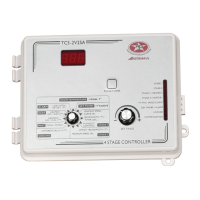
n Press the push-button. The relative humidity set point is displayed,
alternating with the letters "set rH".
n Use the adjustment knob to adjust the set point to the desired value.
3
Adjusting Minimum Speed Compensation
This is the percentage increase in minimum speed for a relative humidity
equal to the humidity set point + 10%. The value ranges from 0 to 100%.
n Set the selection knob to STAGE 1 — HUMIDITY CONTROL. The
current humidity reading is displayed.
n Press the push-button twice. The current minimum speed compensation
is displayed, alternating with the letters "SPd".
n Use the adjustment knob to adjust the minimum speed compensation
to the desired value.
4
Activating / Deactivating Humidity Compensation
n Set the selection knob to STAGE 1 — HUMIDITY CONTROL. The
current humidity reading is displayed.
n Press the push-button three times. The current on/off state of humidity
compensation flashes on the display.
n Use the adjustment knob to adjust the on/off state to the desired value.


 To Next Page