36
TC5-2V2SA.rev.05
TC5-2V2SA
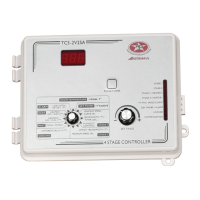
n Set the selection knob to STAGE 1 — MINIMUM SPEED / CURVE.
The current minimum speed is displayed.
n Press the push-button. The current day is displayed, alternating with
the letters "cur. dAY".
4
Deactivating Minimum Speed Curve
n Set the selection knob to STAGE 1 — MINIMUM SPEED / CURVE.
The current minimum speed is displayed.
n Press the push-button to display the points of the curve currently
defined until the word ON appears (fourteen clicks).
n Turn the adjustment knob counterclockwise by one notch. The word
OFF flashes on the display. The Minimum Speed Curve Pilot Light
starts blinking, indicating that the minimum speed curve is now deac-
tivated.


 To Next Page