79
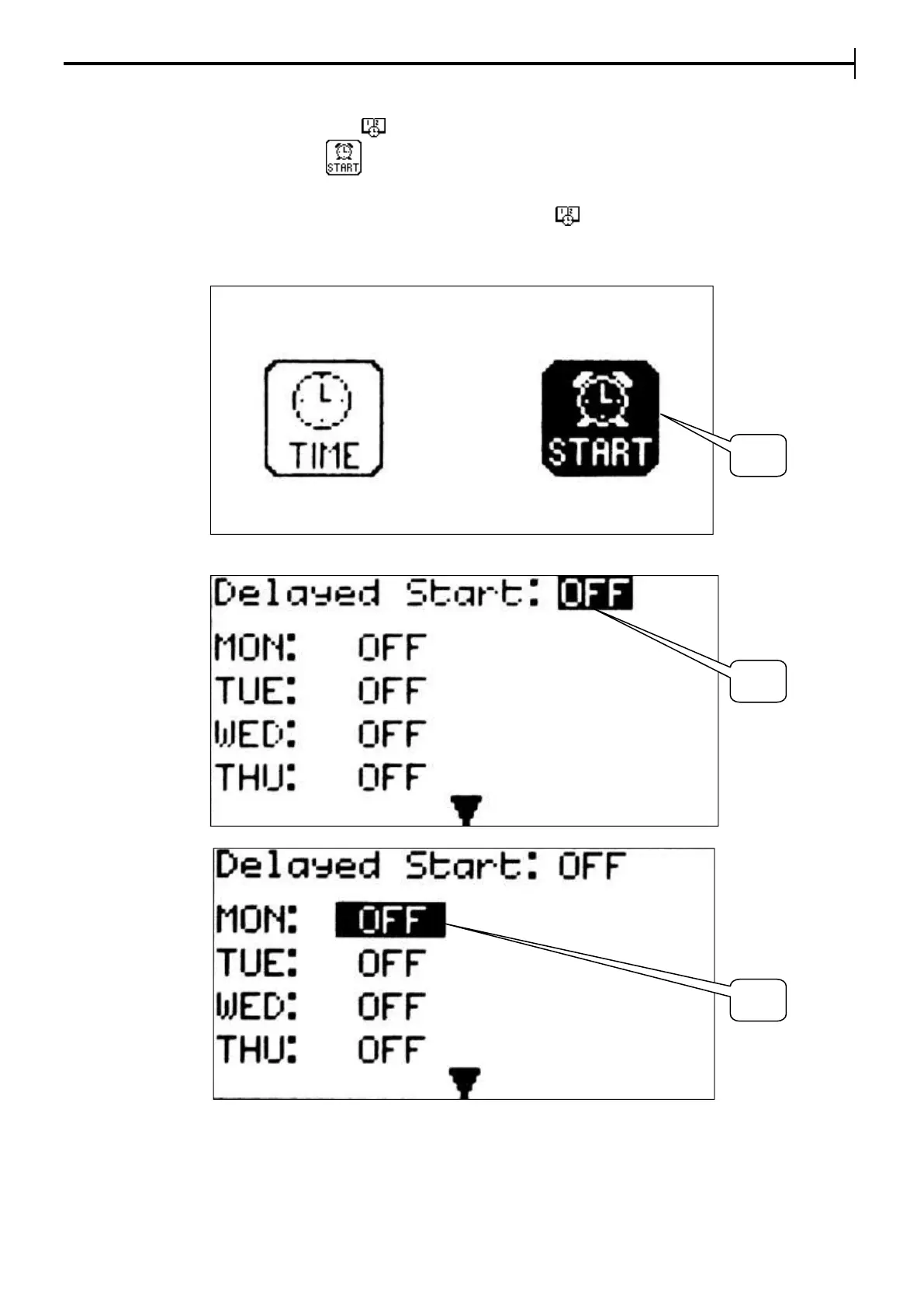
Setting of the delayed start (daily or weekly)
Keep the cursor on the icon , press Enter and once you are on the "Time menu " page press
the delayed start icon (20) . To activate the delayed start enable it from the corresponding
page (21) . Set the time in the day of the week in which the oven chamber (22) is to start.
If the delayed start is active on the main page the device will show the weekday / time set for the
start of the oven, the current time/ date and the icon . When the start up time set on the
instrument the device starts the heating of the chamber up to the temperature set in Program 00
(Manual or Preheating Programming ).
Time menu


 To Next Page