78
Clock setting
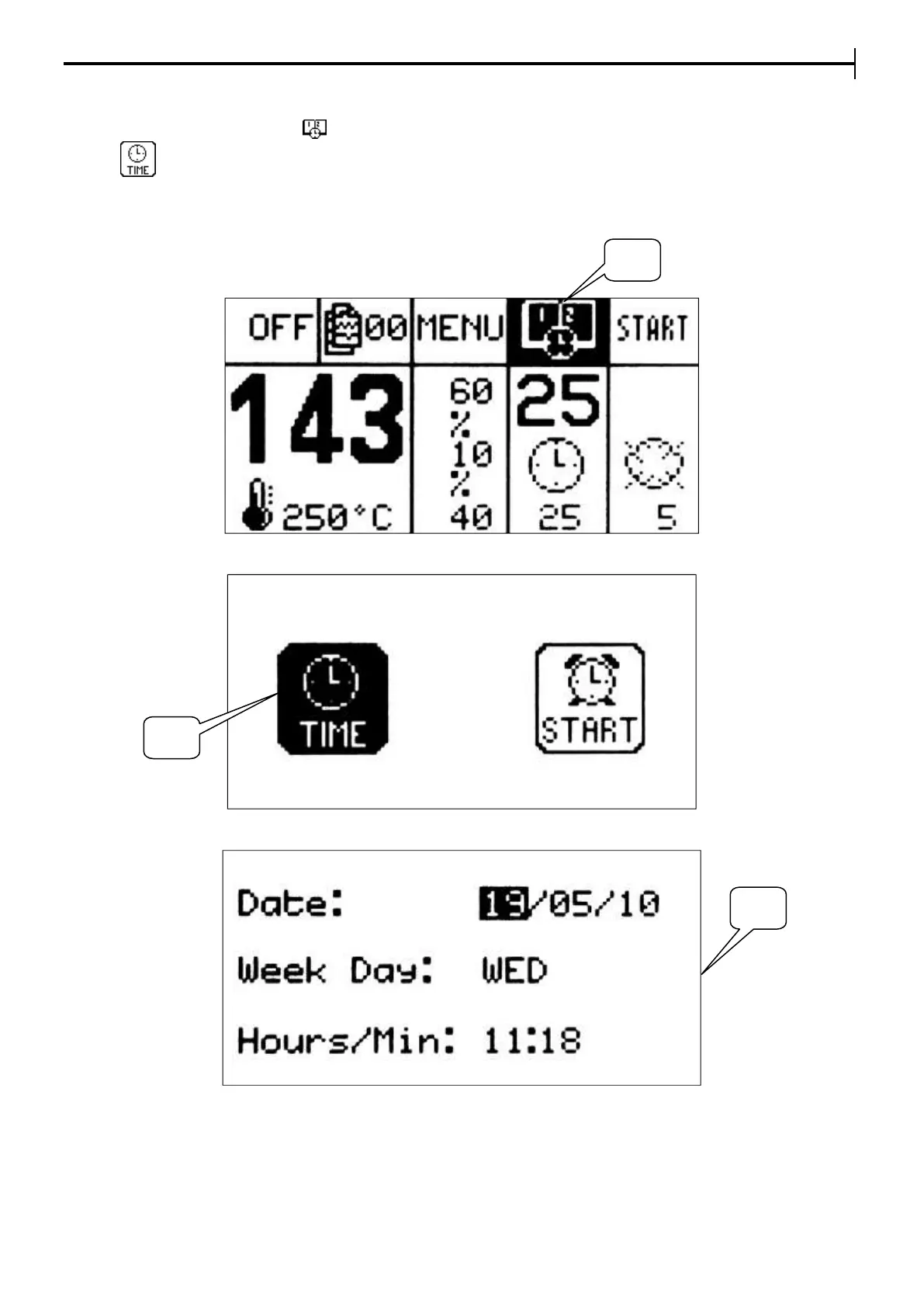
Move the cursor onto the icon (17) , press Enter and once you are in the "Time" menu page press the
icon (18) to set the current date and time.
Move the cursor to set the date and the time of the clock (19); with + and – buttons, select the parameter to
set, then press Enter to go into setting mode, set the value and press Enter again to confirm and store the
value set to memory.
Time menu
Setting the date and time


 To Next Page