77
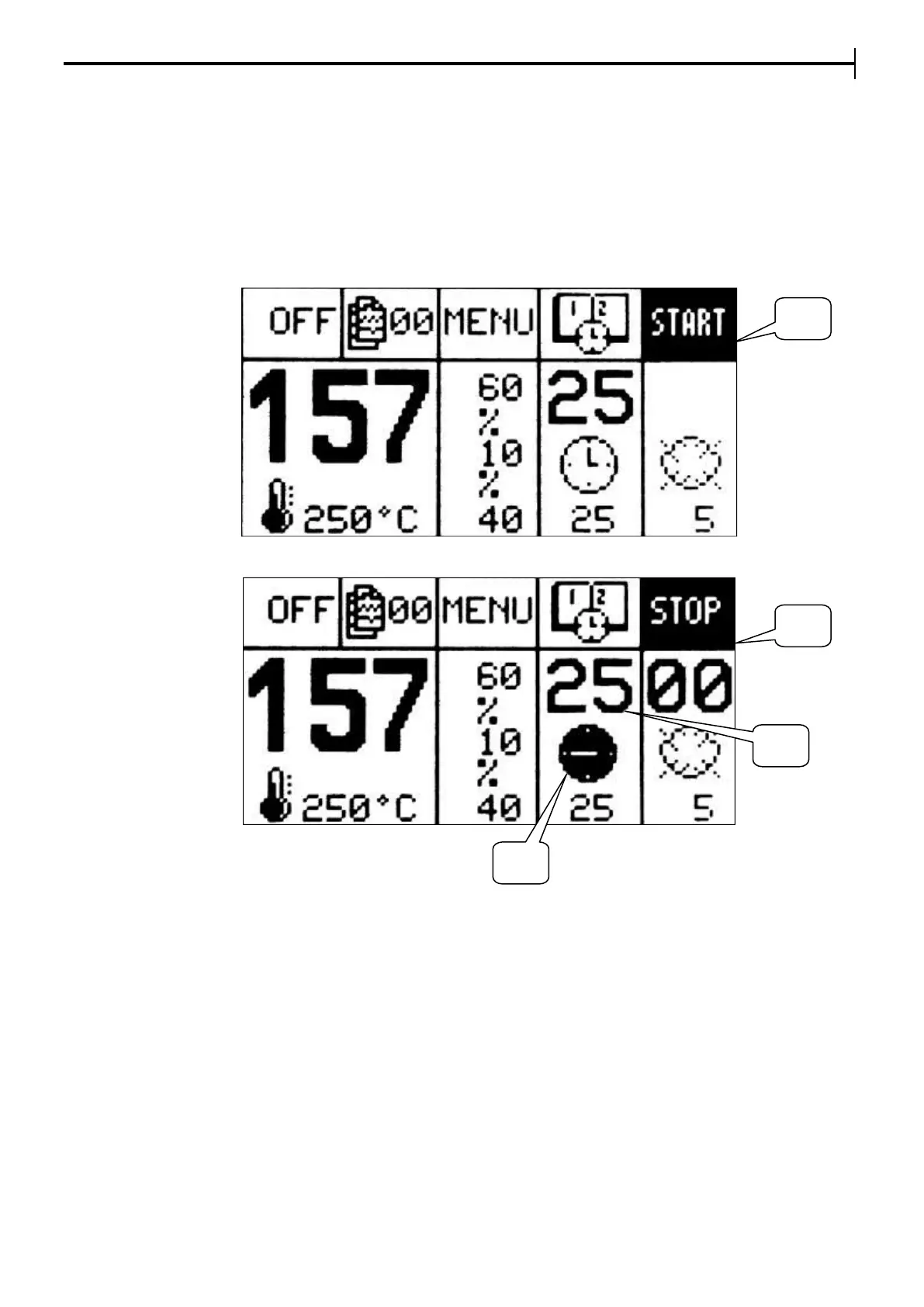
Baking time START / STOP
Move the cursor towards “START” (13) or “ STOP ” (14). Press CYCLE and the device are switched to the
STOP -> START mode or vice versa.
The “START” indication (13) shows the instrument is waiting for a baking cycle to be activated, when Enter
is pressed the cycle is launched and the box displays “STOP” (14). At the same time the baking time Timer
is activated in countdown mode (15) and the Clock icon (16) is shown with the hand turning.
At the end of the cooking time the internal Buzzer is activated and “STOP” flashes; to silence the Buzzer
and finish the cooking cycle press Enter. In this way, “START” will reappear.


 To Next Page