85
All the other parameters and settings are the same as the ones of the previous chapter
(Standard digital panel).
PROGRAMMING
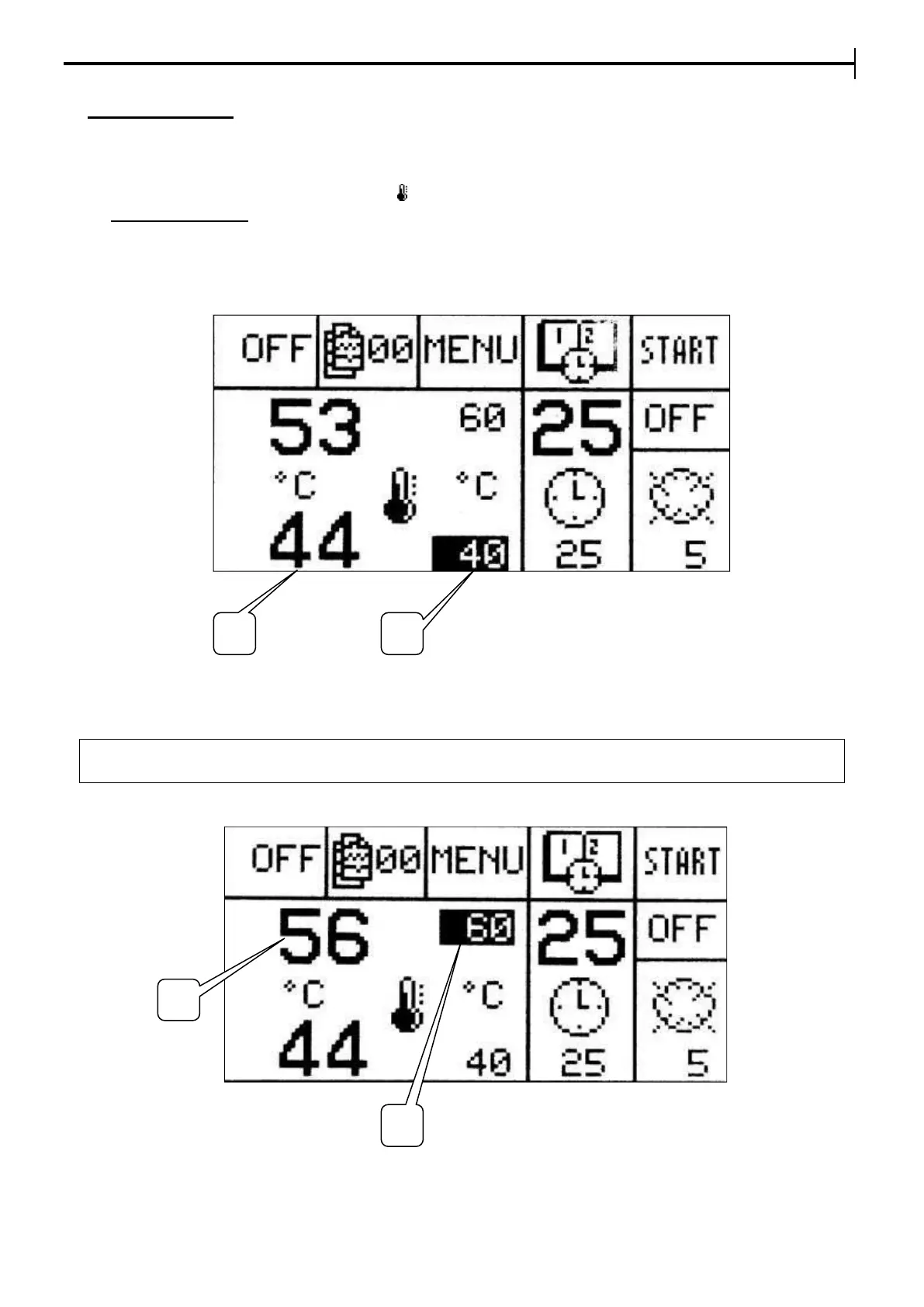
Setting the Floor temperature in the Baking chamber , MAX 280°C (350°C)
Value (1) is the actual current temperature of the baking chamber floor.
Press Temperature button (indicated by icon ) and using buttons + and - move the cursor onto the Setpoint
(2) Floor Temperature. Press Enter (press the switch) and when the previously set value starts to flash it
can be changed by using buttons + and - .
To confirm the set value, press Enter again. The setpoint stops flashing and it is stored to memory. If the
modification occurs when the baking cycle is active the value is not saved and it goes back to the previously
set value.
Setting the Ceiling temperature in the Baking chamber - MAX 280°C (350°C)


 To Next Page