86
ELECTROMECHANIC CONTROL PANEL
(OPTIONAL)
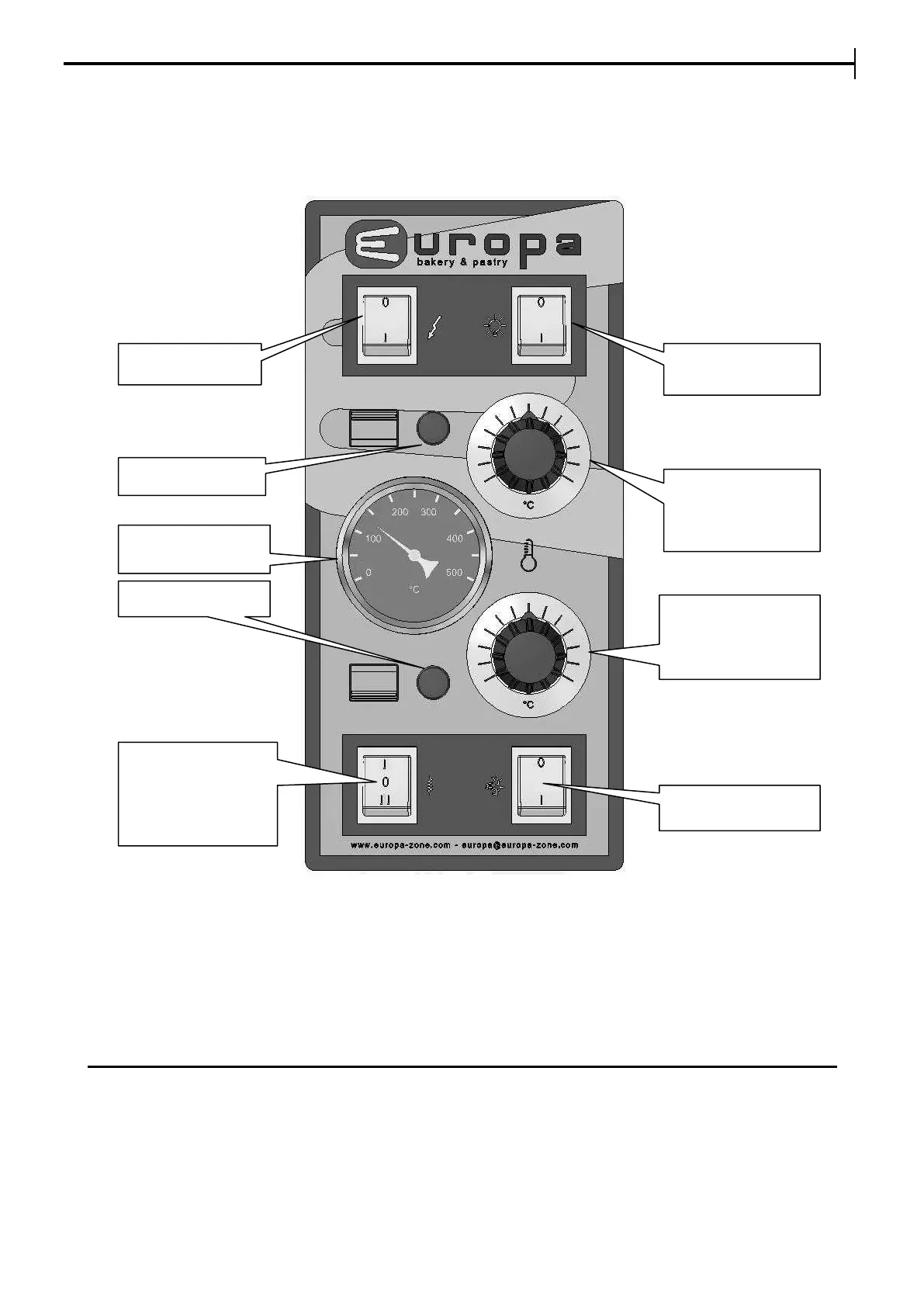
Turn on the panel using the line switch.
The light turns on or off automatically if the line switch is activated pressing on the light switch.
Set the required temperatures for Ceiling/Floor on the respective Thermostats Ceiling/Floor.
The lights for Ceiling/Floor turn on when the heating elements are powered. The thermometer
displays only the average indicative temperature of the chamber, without controlling it.
In the versions equipped with steam generator, using the steam generator switch, you can activate
the steam generator power, controlled by the internal arranged thermostat (calibrated at 180°C).
To give steam, press the steam switch for the desired time (maximum 5 seconds).
For the first steam generator’s warm-up, wait for about 40 minutes before giving steam.
To bake pizza or similar products, there are 2 thermostats and the thermometer with setting till
350°C.
To bake bread and pastry products, the setting is till 280°C.
The temperature’s setting precision and the power distribution is less precise with the
electromechanical control panel, and more precise with the digital control panel.
CIELING LIGHT
THERMOMETER
CEILING
THERMOSTAT
MAX 280°C
(350°C)
FLOOR
THERMOSTAT
MAX 280°C
(350°C)
STEAM
GENERATOR
SWITCH :
0 = OFF
1 = ON


 To Next Page