Apogee ONE | User’s Guide for Windows
Software Setup
Windows OS: Select Apogee ONE in Pro Tools
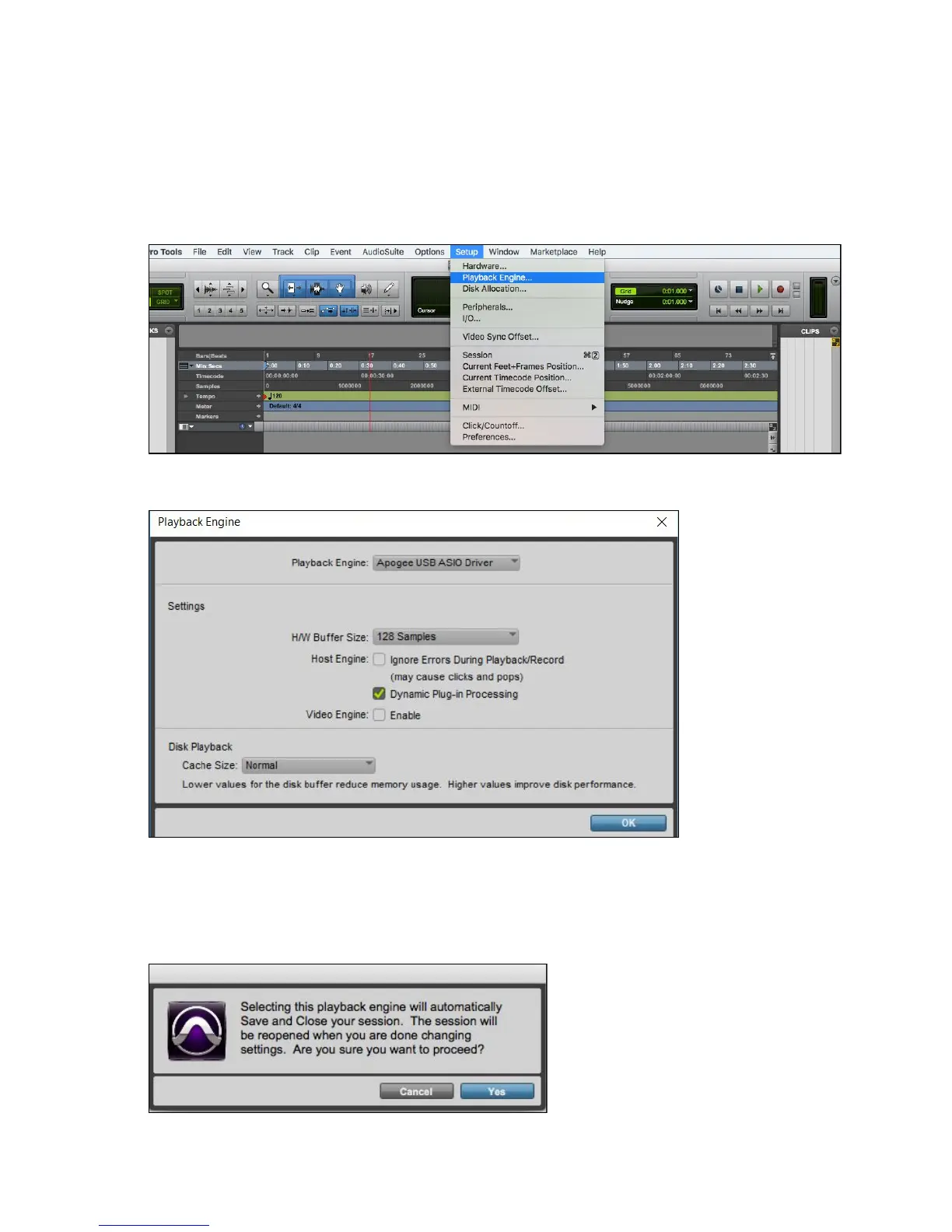
1. Choose Setup menu > Playback Engine.
2. Choose Apogee USB ASIO Driver for current Playback Engine.
3. Set the H/W Buffer Size to 128 Samples and keep Safe Mode on. These settings may need to
be adjusted based on your computer’s performance. Click OK.
4. If the following dialog box appears, Click Yes.
Page 28



 To Next Page