Apogee ONE | User’s Guide for Windows
Choosing Apogee ONE for Windows Sound I/O
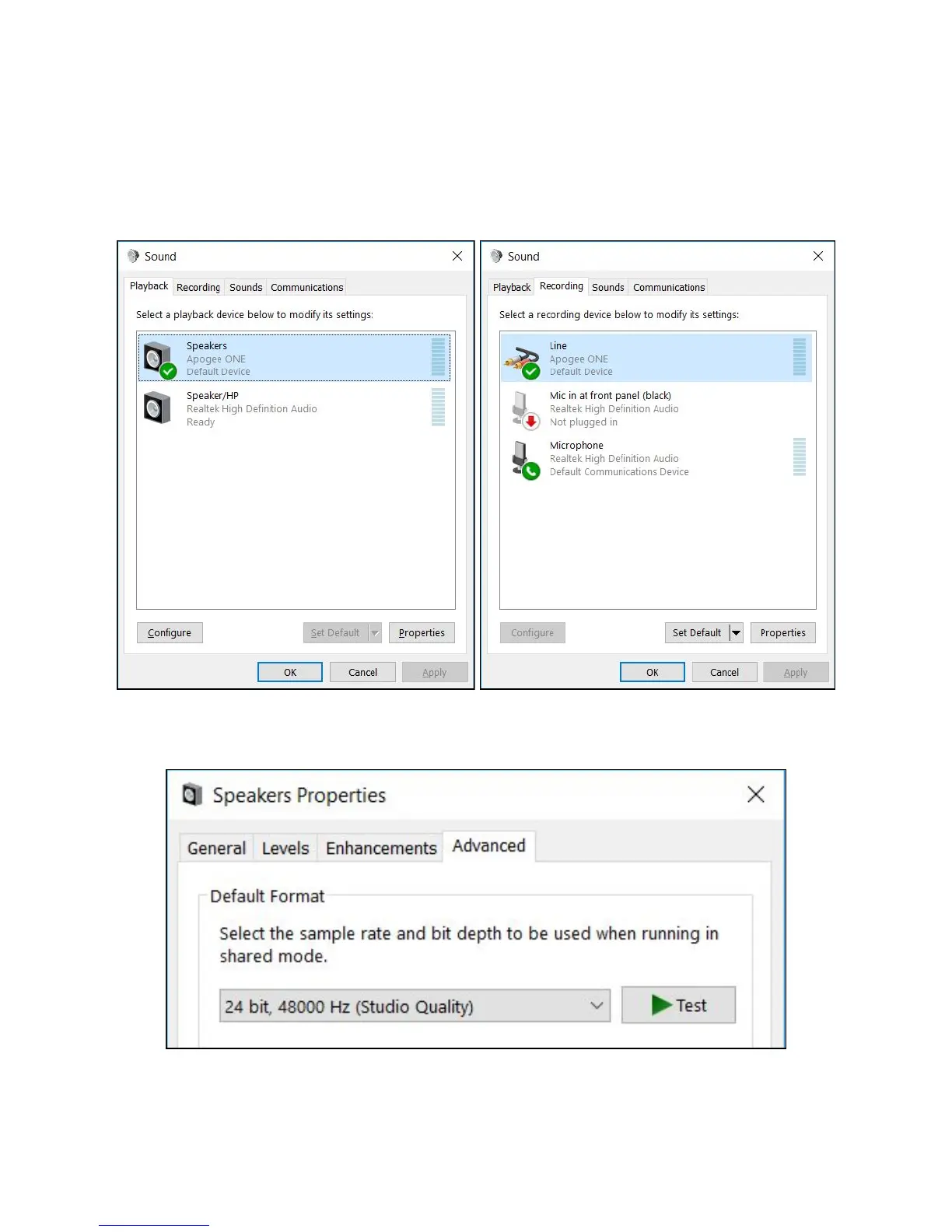
After connecting Apogee ONE, installing the software and updating the firmware, go to the windows
search bar and type ‘sound’ to open the sound control panel.
Select Apogee ONE under both the Playback and Recording Tab.
Click Properties under both tabs, click the Advanced tab,
and set the Default Format to match your recording project. Click Apply.
Page 12



 To Next Page