14 15
SETUP & TESTING
The following tables contain the Indoor Air Quality system settings and their details. Default settings are shown in
bold. Some settings are only present dependent upon the value of other settings.
The use of an outdoor temperature sensor (recommended) enables additional Indoor Air Quality functionality.
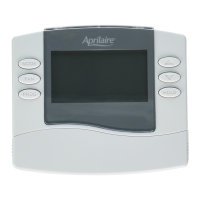
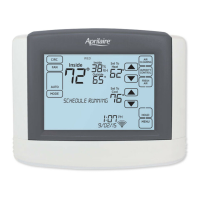
Please refer to the Model 8840 Owner’s Manual for further information about thermostat features.
Note: Refer to manuals for humidifier, dehumidifier, air cleaner, and ventilation products for recommended
installation and operation.
Humidifier System Settings Table
System setting Description
Factory default setting
(bold) and setting range
Humidifier Installed? Selects if a humidifier is installed. Yes/On HVAC is
used for applications where the humidifier is installed
on the HVAC duct. Yes/Standalone is used for
application where the humidifier is independent of
the HVAC system. (If set to no, no other humidifier
settings will be available.)
No
Yes/On HVAC
Yes/Standalone
Display Button? Note: Only available if Humidifier Installed is set
to No.
Yes
No
Outdoor Temperature Sensor Installed? Select if outdoor sensor is attached or not. No
Yes
Humidifier Mode Selects auto or manual mode. Auto mode controls
humidity based on the humidity setting and outdoor
temperature. Manual mode controls humidity based
on the %RH setpoint. (Auto mode is only available if
outdoor sensor is set to Yes or Automation.)
Auto
Manual
Allowed Humidifier Operation Selects when humidification is allowed to occur
relative to heating and fan operation. Without Fan
allows humidification to occur without the HVAC fan.
This option should only be used when the humidifier
is independent of the HVAC system. Note: Without
Fan is only available when Humidifier Installed is
set to Yes/Standalone.
Heat Only
Heat or Fan
Forces Fan
Without Fan
CAUTION: When Humidifier Operation is set to Without Fan the thermostat will turn on humidification
without energizing the HVAC fan. Do not select this option when the humidifier is installed on the HVAC duct.
Without airflow moisture can accumulate in the duct resulting in significant damage.
Humidity Deadband Select the minimum difference between the
humidifier and dehumidifier setpoints. (Only available
if both a humidifier and dehumidifier are installed.)
10%
10 to 20%
Humidifier Reminder Selects when the “Change Water Panel” message is
displayed.
Off
300h Valve
600h Valve
1 per season
2 per season
Single or First Reminder Appears Determines the month the first (or only) “Change
Water Panel” message is displayed.
October
November
December
January
February
March
April
May
June
July
August
September
INDOOR AIR QUALITY SYSTEM SETTINGS TABLES
SETUP & TESTING
Dehumidifier System Settings Table
System setting Description
Factory default setting
(bold) and setting range
Dehumidifier Type Installed? Selects if a dehumidifier is installed. (If set to None,
no other dehumidifier settings will be available.)
None
Whole Home
Air Conditioner
Display Button? Note: Only available if Dehumidifier Installed is set
to None.
Yes
No
Disable Dehumidification During
Cooling?
Selects if a dehumidifier is disabled during a cooling
call.
Yes
No
Dehumidifier Forces Fan? Selects if dehumidification can turn on the fan. Yes
No
Dehumidifier Overcooling Limit Selects the amount of overcooling that can occur for
dehumidification. (Only available if dehumidifier type
is set to Air Conditioning.)
1°F (0.5°C)
2°F (1°C)
3°F (1.5°C)
Dehumidifier Reminder The period for displaying the “Dehumidification
Service Reminder” message.
Disabled
Enabled
Number of Months for Recurrence Select number of months for displaying reminder.
12 Months
1 to 12 Months
Dehumidify in Vacation Hold? Selects if dehumidification with the air conditioner is
done in vacation mode.
No
Yes
Vacation Hold Low Temperature Limit Sets the lowest temperature the air conditioner
will cool to, to meet RH setpoint in Vacation Mode.
(Only available if dehumidifier type is set to Air
Conditioning.)
75°F (24°C)
70 to 85°F (21 to 29.5°C)
Humidity Deadband Select the minimum difference between the humidifier
and dehumidifier setpoints. (Only available if both a
humidifier and dehumidifier are installed.)
10%
10 to 20%
System setting Description
Factory default setting
(bold) and setting range
Second Reminder Appears Determines the month the second “Change Water
Panel” message is displayed.
October
November
December
January
February
March
April
May
June
July
August
September



 To Next Page
 Loading...