APsytems ECU-3 V8.0 Installation/User Manual 32 32
LOCAL NETWORK INTERFACE
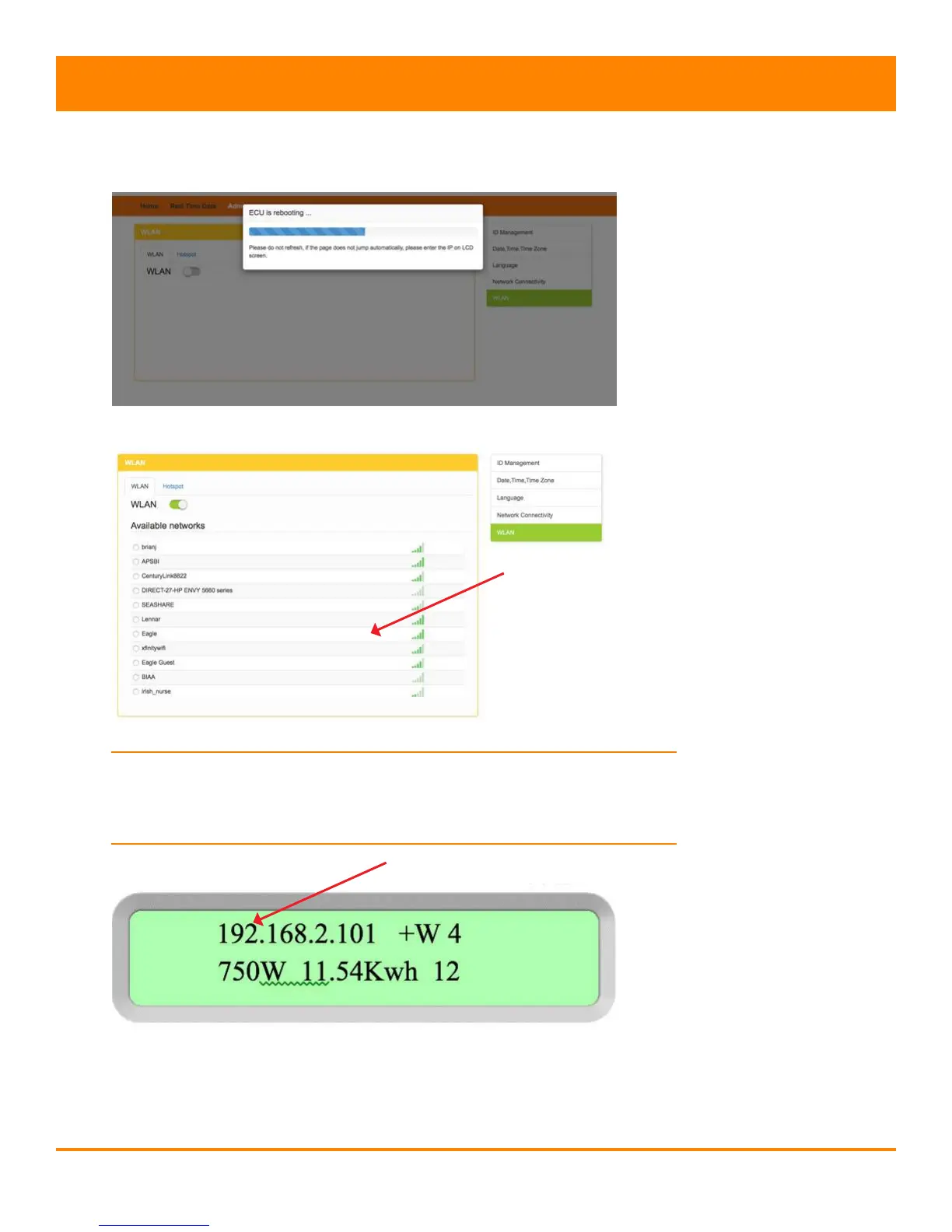
The system displays a status page for the ECU reboot process …
… and then displays the “Available networks” page.
NOTE: If the Available networks page fails to load, enter the router’s
IP address that is displayed on the ECU’s display screen into the
browser’s URL search eld.
6. Select the network you want to join.
Figure 39
Figure 40
Figure 38
List of available networks
Router IP Address



 To Next Page