15
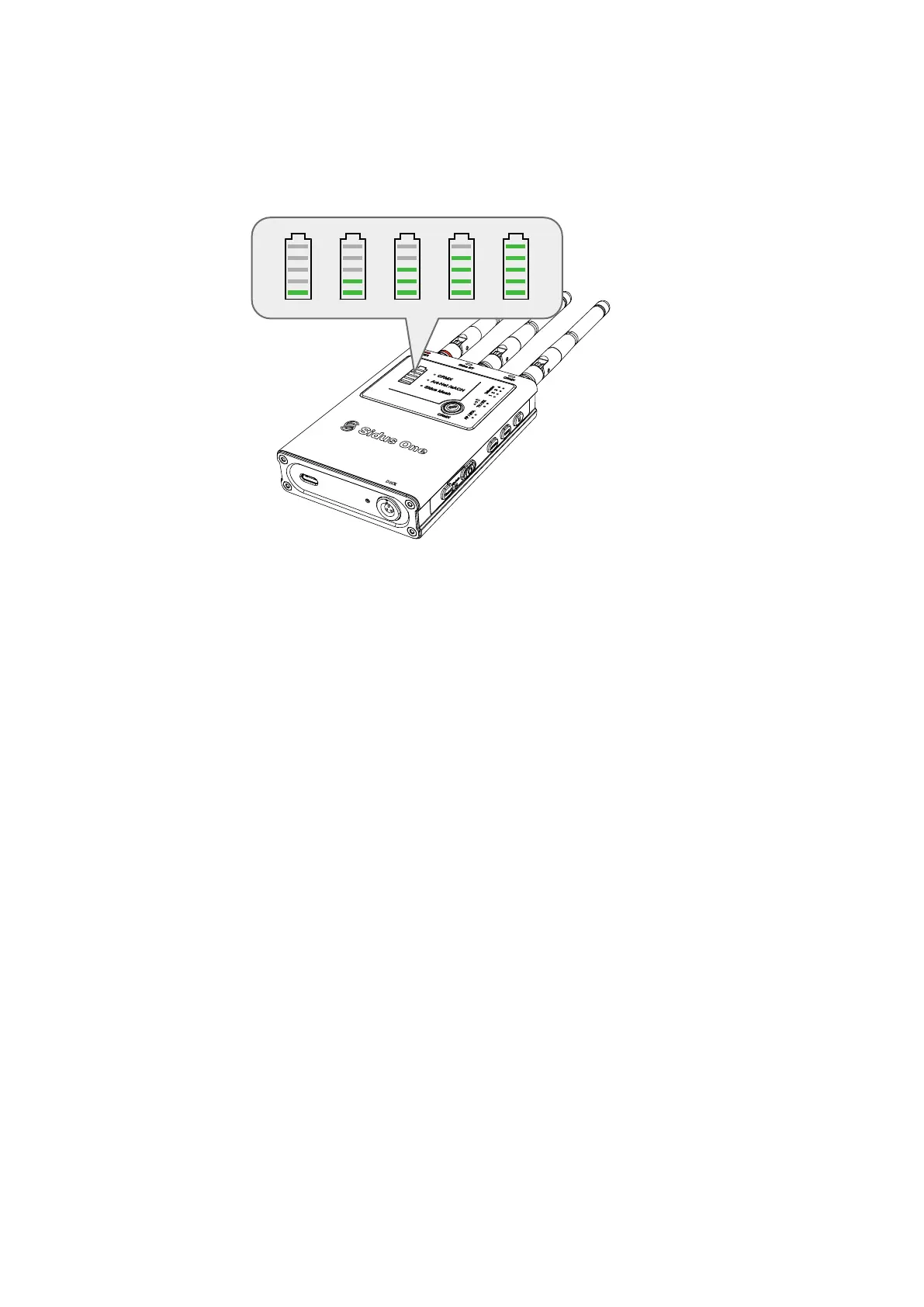
To charge Sidus One, connect the included USB power cable to a 5V/2A charging block. When Sidus One
is charging, the battery capacity lights will perform a "waterfall" effect. When Sidus One is powered off and
charging, only the battery capacity lights will be illuminated--all other indicator lights will be off.
7
AP/STA
6
TX/RX
Signal
Strength
5 Universe
8
DMX
Side
indicator
light
9
Wi-Fi Mode
CRMX mode
RX Mode Signal
Strength
Art-Net/sACN
Universe over
Wi-Fi
Firmware
Upgrade Mode
DMX512 Activity
Light
Indication of res-
toring factory
settings
3 Bars
Access Point Mode
Station/Client Mode
CRMX Transmitter Mode
CRMX Receiver Mode
Strong Signal Strength
Medium Signal Strength
Device set to listen to
Art-Net/sACN Universe 1
Device set to listen to
Art-Net/sACN Universe 2
Device set to listen to
Art-Net/sACN Universe 3
Device set to listen to
Art-Net/sACN Universe 4
Waiting for USB Drive
Updating
Update Successful
Update Failed
DMX Date is not being sent out
the DMX Port(TX Mode)
No DMX Data Found(RX Mode)
DMX Data is being sent out the
DMX Port (TX Mode)
DMX Data Received(RX Mode)
AP on
STA on
Wi-Fi is Off
Off
TX on
RX on
2 Bars
Low Signal Strength
1 Bar
Out of Range of Transmitter
0 Bar
Off
On
2 On
3 On
4 On
All 4 Universe lights flash
Universe lights
blink 1 at a time
4 on
1, 3 and then 2,4
quickly flash
Side indicator lights
flicker rapidly
Restoring factory settings
2.2 Charging


 To Next Page