(3) On the light fixture, browse to the CRMX Settings menu. If the light has been previously linked to
another transmitter, press Unlink.
20
3.3 Wired DMX IN to CRMX Transmitter OUT
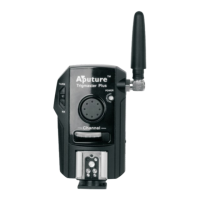
(2) Connect the DMX IN/OUT adapter to the 3 Pin Port and connect the DMX IN Male cable to the
console. The DMX Status indicator will illuminate when there is an active DMX512 Signal. The CRMX
Light will remain solid when there is an active DMX signal and data is present.
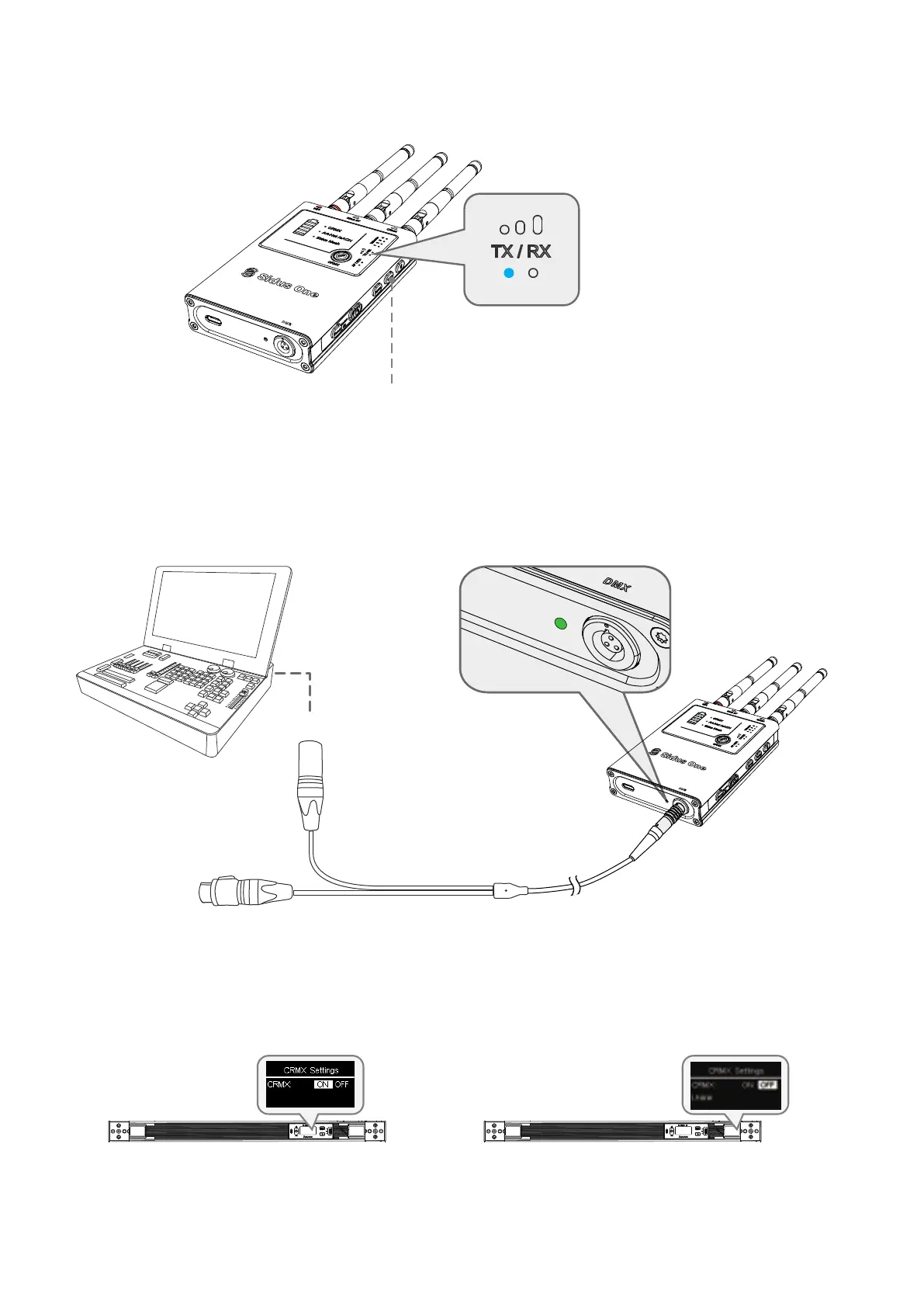
(1) Set Sidus One to TX mode
Press and Hold to switch between TX/RX mode.
DMX IN/OUT adapter
Connect to console
DMX console


 To Next Page