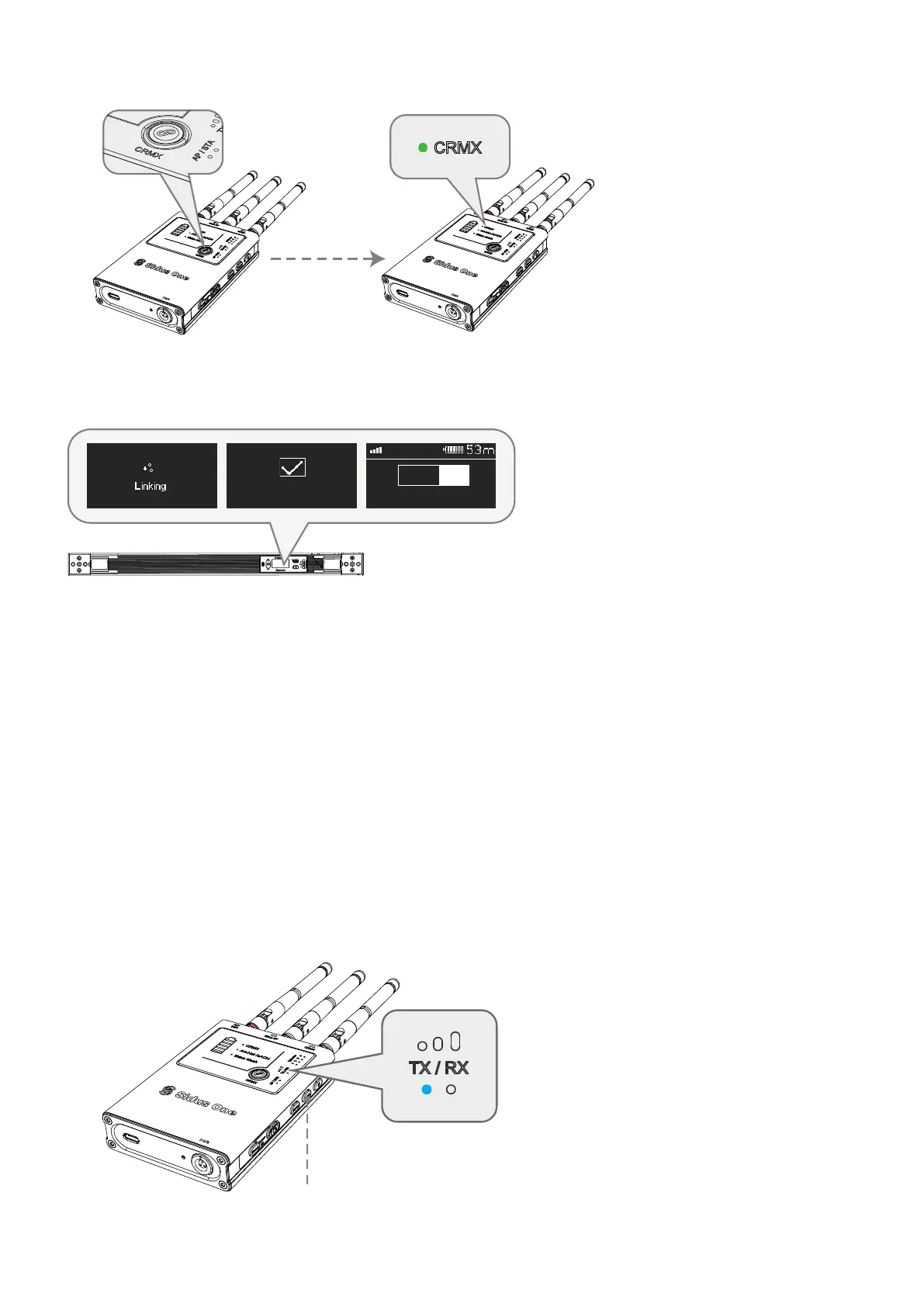
(4) On the Sidus One TX, tap the CRMX Link button to initiate CRMX linking.
(1) On the control device APP, browse to connection methods and connect to Sidus One via CRMX Blue-
tooth.
(1) Set the Sidus One to TX mode.
21
3.4.1 CRMX BT connection IN
3.4.2 CRMX Transmitter OUT
3.4 CRMX Bluetooth IN to CRMX Transmitter/Wired DMX OUT
Press and Hold to switch between TX/RX mode
*NOTE: Not compatible with Sidus Link
The linked light or receiver will show the CRMX signal strength
when connected to the Sidus One TX.
1:CCT & RGB
DMX 001
Link Successful
① Tap CRMX Link button ② The CRMX Status Light will blink rapidly while linking.


 To Next Page