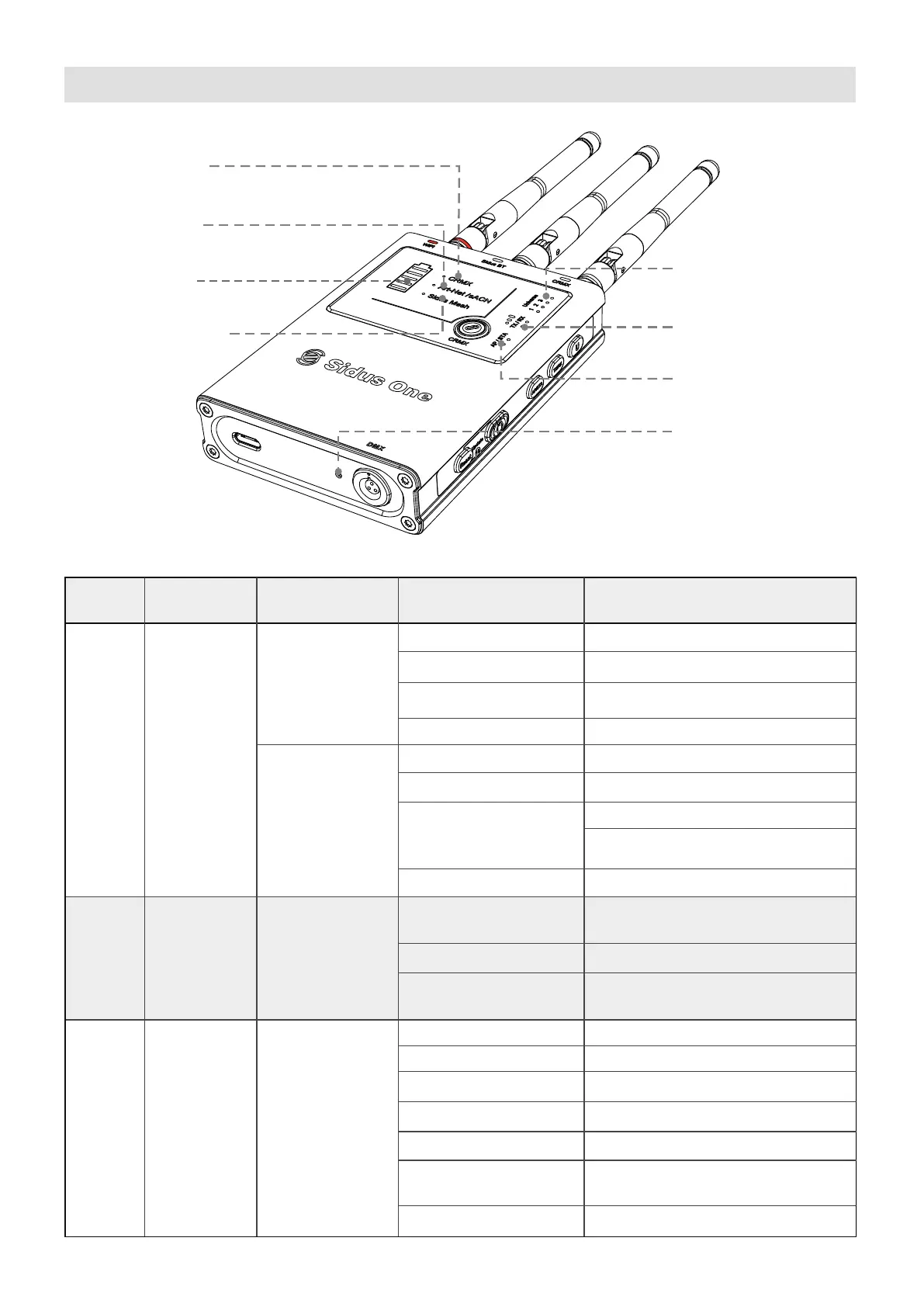
2. Indicator Status Lights
09
7. Wi-Fi Mode Status Light
6. CRMX Mode and RX Signal
Strength Light
4. Sidus BT Status Light
3. Battery Capacity
Indicator Light
1. CRMX Status Light
2. Wi-Fi Status Light
5. Art-Net/sACN over Wi-Fi
Universe Status Light
8. DMX Activity Light
ID
Number
Indicator
Light
Function
CRMX Status:
TX Mode
RX Mode
Slow Flash
No Data present
Off
Not linked to a TX
Unlinking all Receivers
Sending Link Signal
Transmitting Data
Slow Flash
Normal Flash
Fast Flash
Solid
Description
LED Status
1
CRMX
2
Art-Net/sACN
Wi-Fi Status
Off
Slow Flash
Sidus BT is disconnected
Sidus BT is connected
Solid
Slow Flash
Battery
3
100%
80%
60%
40%
10%
Charging
Battery
Capacity
Lights
5 on
4 on
3 on
2 on
20%
1 on
1 on, then blinks off
every 5 seconds
Waterfall
No Art-Net or sACN signal found
Or Wi-Fi is Off
Wi-Fi detected and Receiving Data
Wi-Fi is connected but no
Data is present
Linked to TX but no Data is present
Solid
Linked to TX and Receiving Data
Fast Flash
Fast Flash (Momentary) | Linking
Fast Flash (Continuous) | Linked but
TX not found


 To Next Page