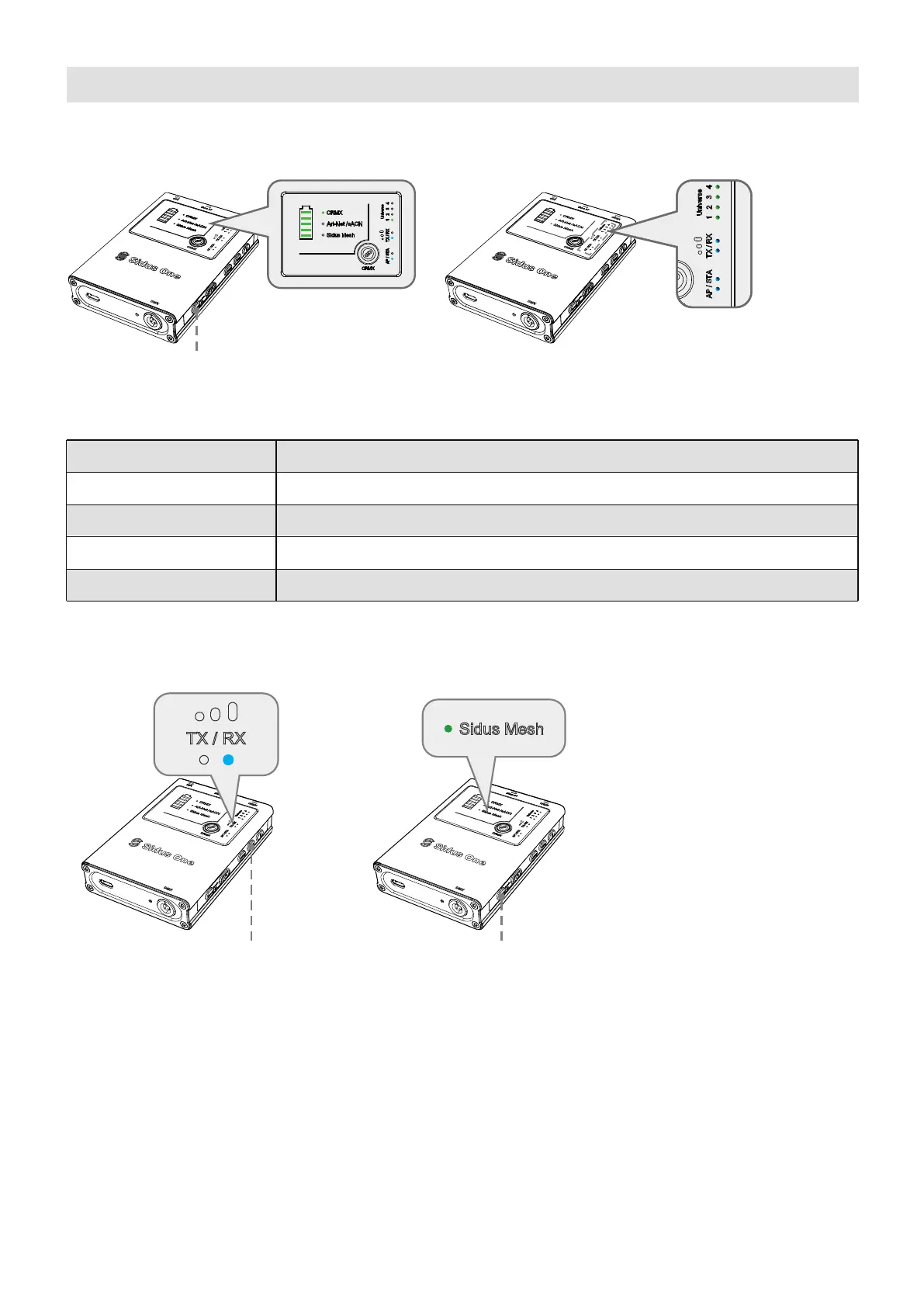
5.1 Restore Factory Settings
5.2 Reset Bluetooth
* When Resetting Sidus Mesh (Bluetooth), the Sidus Mesh status light will flash rapidly.
5. Resetting the Device
27
Press and Hold RESET button for 3 seconds The Mode Status lights all flash when
resetting to default.
② Double tap RESET button
2 times to reset
Function
Wi-Fi Mode
CRMX Mode
Universe
Wireless connection
AP Mode
Default
TX Mode
1
Reset
① If in TX mode, press and hold
TX/RX to switch to RX mode.


 To Next Page