25
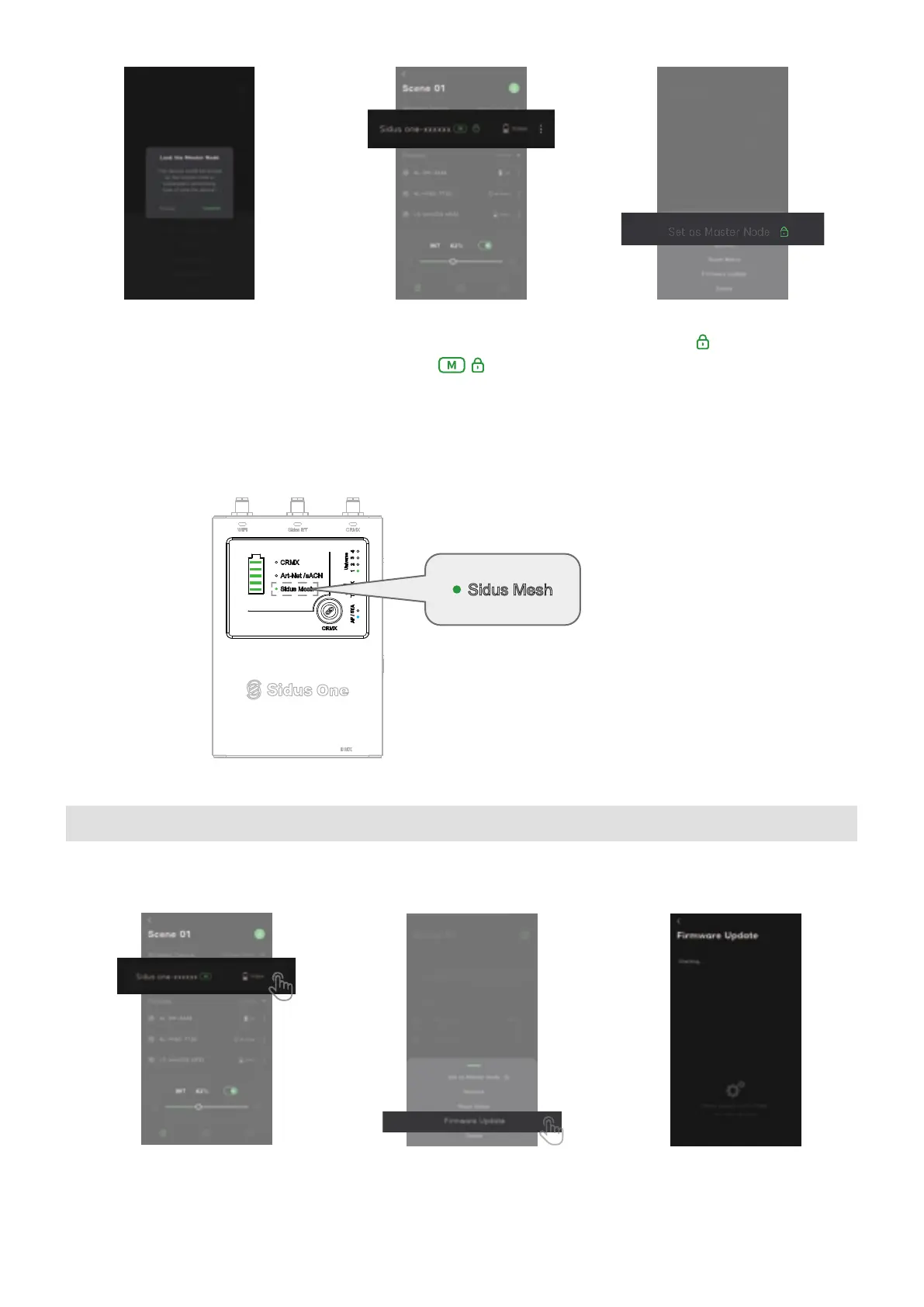
(3) After successful connection, the Sidus Mesh light will illuminate and remain solid to indicate that the
Sidus One is paired.
⑩ Click OK
Check to see that the Master
node is set and locked.
Enter settings and
click to unlock.
4.1 Update via Sidus Link with an active internet connection
4. Updating the Firmware
① From the Fixture List, select the
Sidus One to be updated by pressing
its 3 dot icon.
② Press Firmware Update
③ Sidus Link App will check
for newer Firmware.


 To Next Page