24
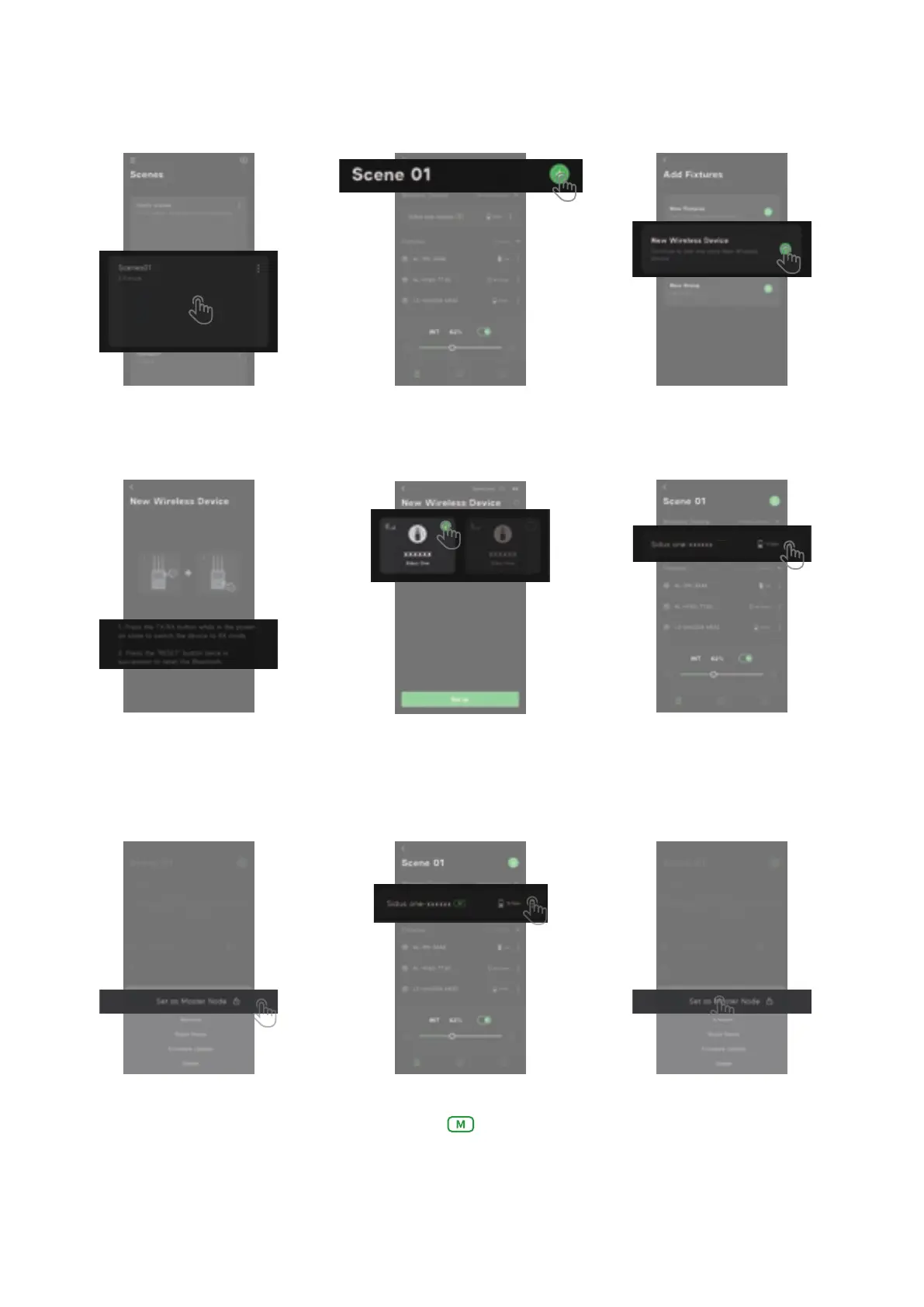
(2)On your Sidus Link compatible device, connect to Sidus One by adding it as a "New Wireless
Device" in the "Add Fixtures" section of your chosen Sidus Link "Scene".
⑦ Choose: "Set as Master Node"
③ Click the + Sign to add a
"New Wireless Device"
⑤ Select the Sidus One that
needs to be configured
⑥ After the connection is
successful, click the 3 dots
next to Sidus One
⑨ Click the lock icon
⑧ Click the 3 dots next to Sidus One
② Select add new device
① Open your scene.
④ If Sidus One is not found, please
confirm that your Sidus One is in RX
mode and that its BT is not still paired
with another device.


 To Next Page