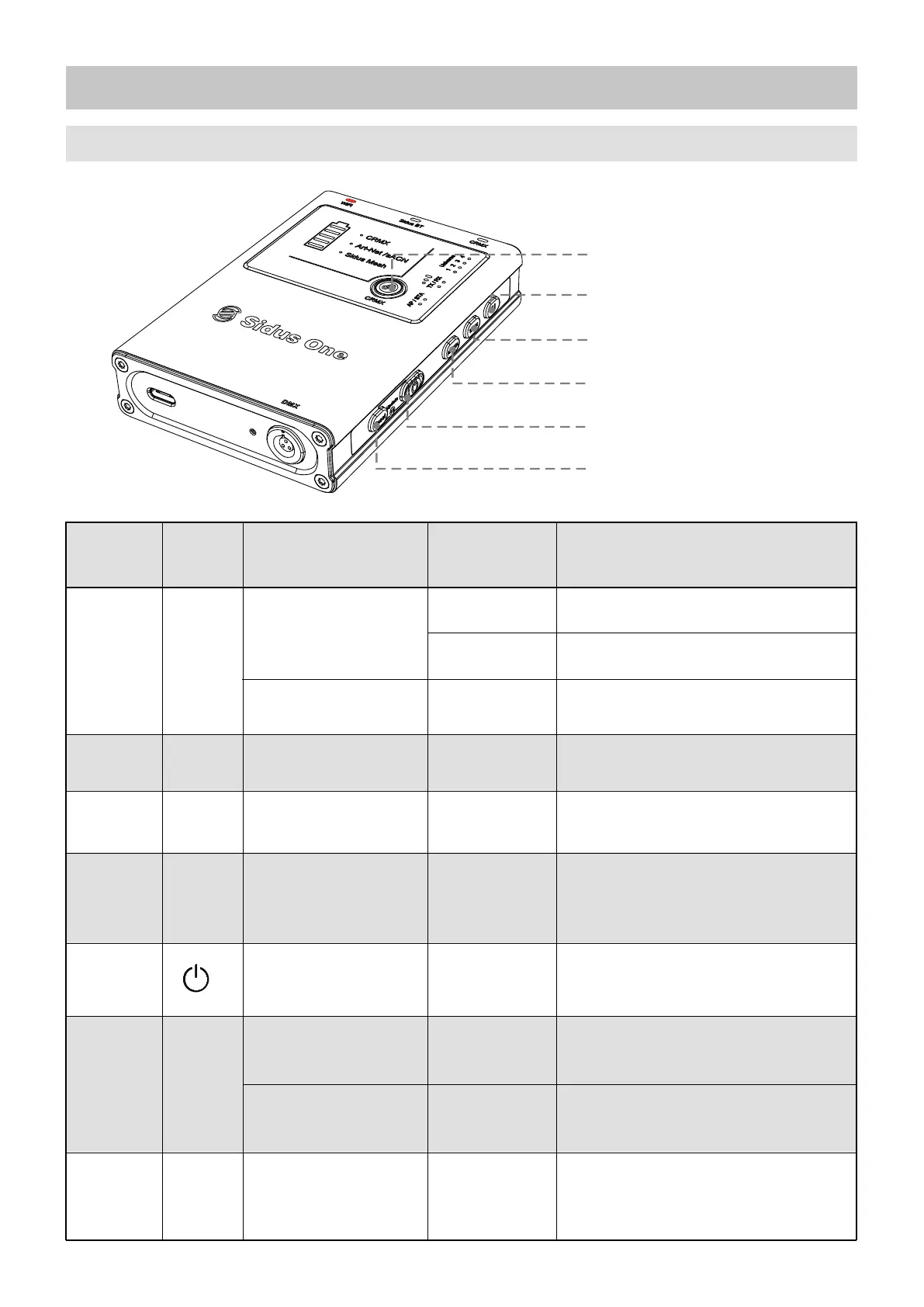
Product Overview
08
1. Key Functions
1. CRMX Link
2. Art-Net/sACN Universe
selection
3. TX/RX mode selection
4. Wi-Fi connection mode
selection
5. Power ON/OFF
6. RESET
ID Number
1
2
CRMX
CRMX TX Link/Unlink
(TX Mode)
CRMX RX Unlink
(RX Mode)
Wi-Fi Universe
Settings
Tap
Hold for 1s
Send CRMX Linking Signal
Hold for 3s
Unlink all Receivers
Unlink from CRMX Transmitter
Change Universe
Hold for 3s
U
3
Mode
Wi-Fi Mode Settings
Hold for 1s
Hold for 1s
Switch between Transmitter (TX)
and Receiver (RX) Mode
Switch between Access Point (AP),
Station (STA) Modes and Wi-Fi Off
TX/RX
4
AP/STA
Button
Function Operation Description
Power
Hold for 3s
Power Sidus One ON/OFF
5
Reset to Factory
Settings
Reset Sidus BT
Hold for 3s
Tap twice
consecutively
Restore factory settings
(All Status Lights will flash)
Reset Sidus Bluetooth
(Sidus Mesh Light will flash rapidly)
6
RESET
Update Device
Firmware from USB
Hold together
for 1s
Trigger USB flash drive to update
(All Universe Lights will flash together)
7
RESET+
Power


 To Next Page