17
3.1.2 CRMX Transmitter OUT
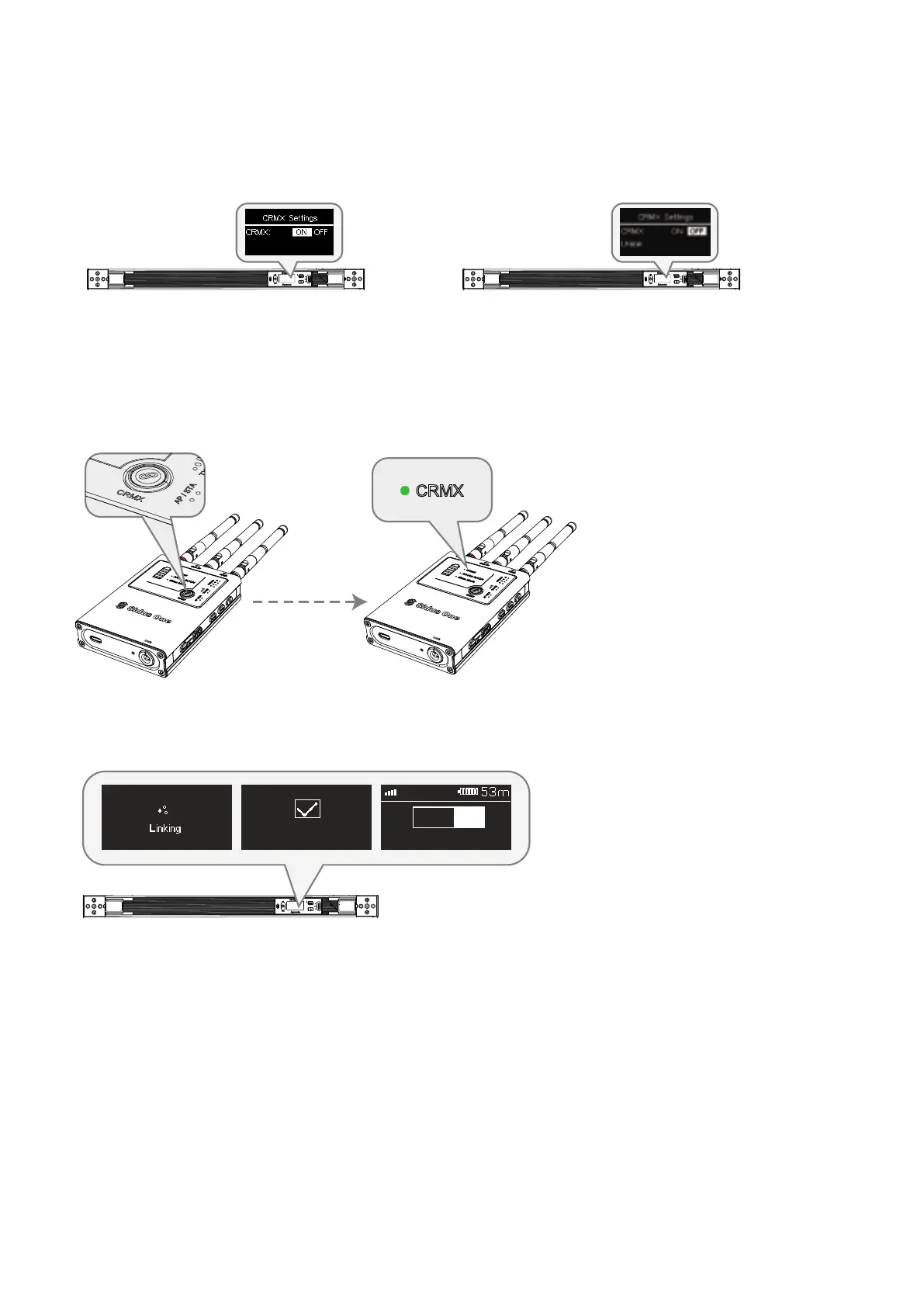
(1) To unlink a previously linked fixture, browse to the CRMX Settings menu and turn on CRMX. If the light has
been previously linked to another transmitter, press Unlink.
(2) On the Sidus One, tap the CRMX Link button to initiate CRMX linking. The CRMX Status Light will
flash while linking. The CRMX Status Light will be solid on the TX if DMX data is present; if no data is
present, the CRMX Status Light will blink slowly.
The linked light or receiver will show the CRMX signal strength
when connected to the Sidus One TX.
1:CCT & RGB
DMX 001
Link Successful
① Tap CRMX Link button ② The CRMX Status Light will blink
rapidly while linking.


 To Next Page