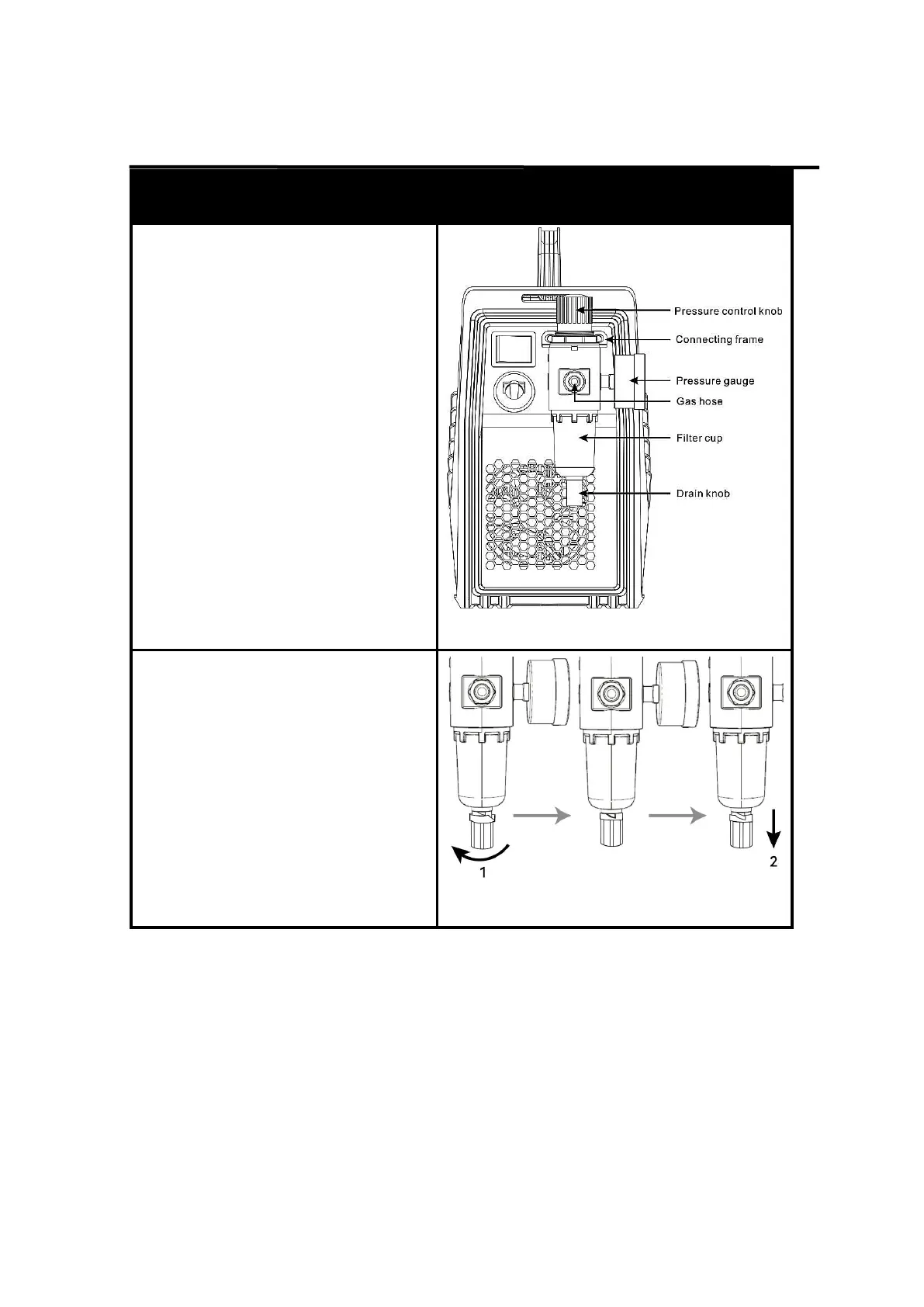
5.1 Operation of the reducer valve
Steps for reducer setting are as
follows:
1. lift the pressure control knob
upward. adjust the gas pressure
to the desired value by rotating
the knob (rotate to “+” direction to
increase gas pressure; rotate to
“-” direction to reduce gas
pressure);
2. press down the pressure control
knob to get the knob locked.
Figure 12 Installation of the reducer valve
Release water and oil vapor or gas
WARINING: DO NOT set up without
SWITCH OFF !
1. Turn the knob to the left to open the
drain knob.
2. Pull the drain knob down to
Release water and oil vapor or gas.
NOTICE:
The drain knob needs to be turned off
before cut55 can be used properly.
Figure 13 Release water and oil vapor or
gas



 To Next Page