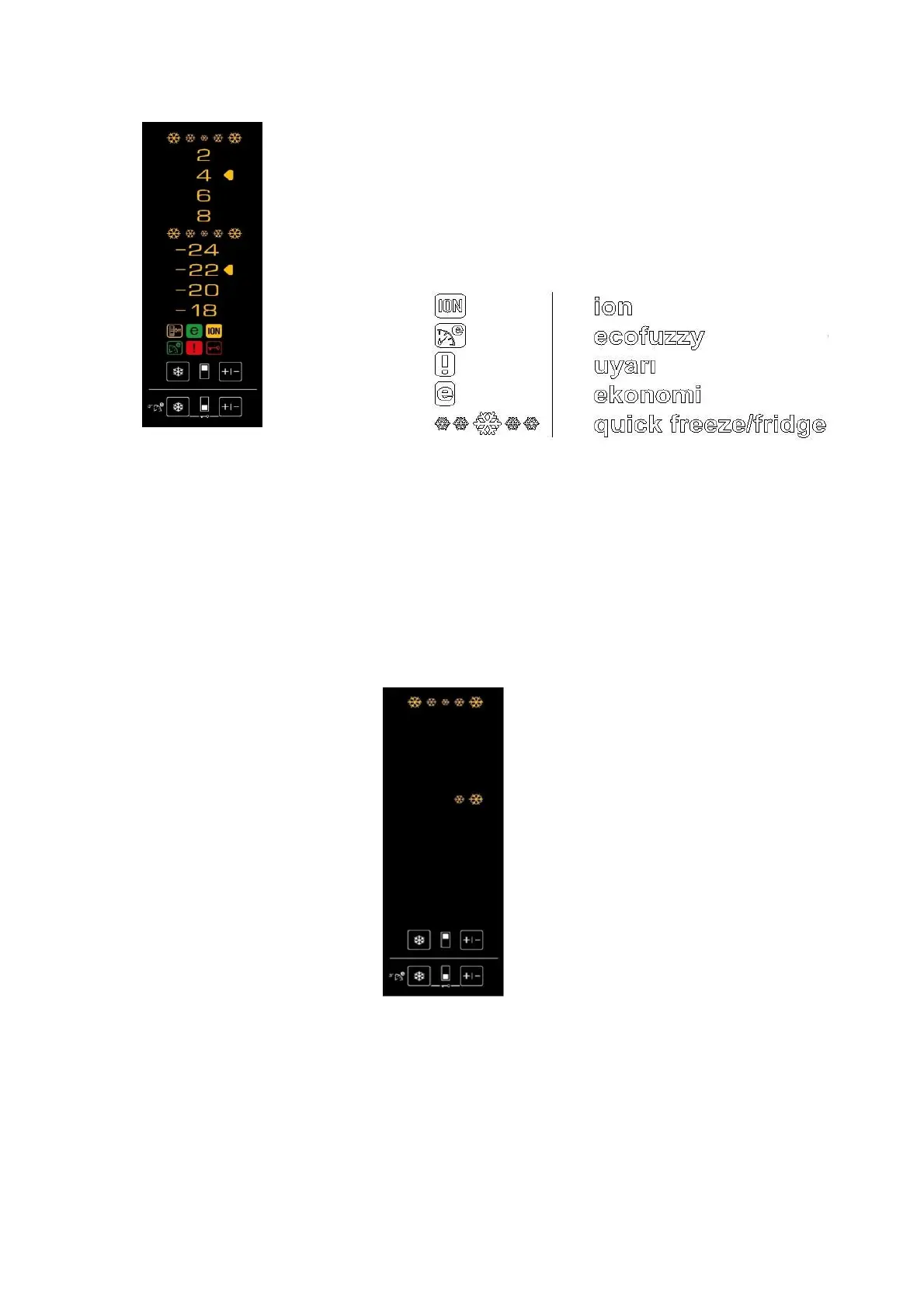
Images (in the lit status) and meanings of all display icons of the K60320NE refrigerators are provided below.
-24, -22, -20, -18, 2, 4, 6, 8 showing the refrigerator's temperature lights up continuously. The set temperature value is indicated by an arrow.
1st Press SW1 and SW2 buttons concurrently for 3 seconds. A short buzzer sound will be heard and service test mode will be activated.
All icons turn on for 0.5 seconds and turn off for 0.5 seconds alternately.
2nd Once any button is pressed; a long buzzer sound will be heard; version and revision information can be read on the display.
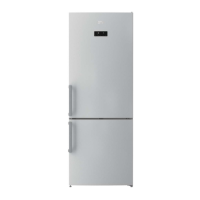
Version and revision are indicated with the animated LEDs for Qfreeze and Qfridge.
Animated LEDs for Qfridge (above LEDs) lights up on basis of the number reading table in Appendix-1 to indicate the version number.
Animated LEDs for Qfreeze (below LEDs) lights up on basis of the number reading table in Appendix-1 to indicate the revision number.
VERSION 6 REVISION 3 INDICATION




 To Next Page