67
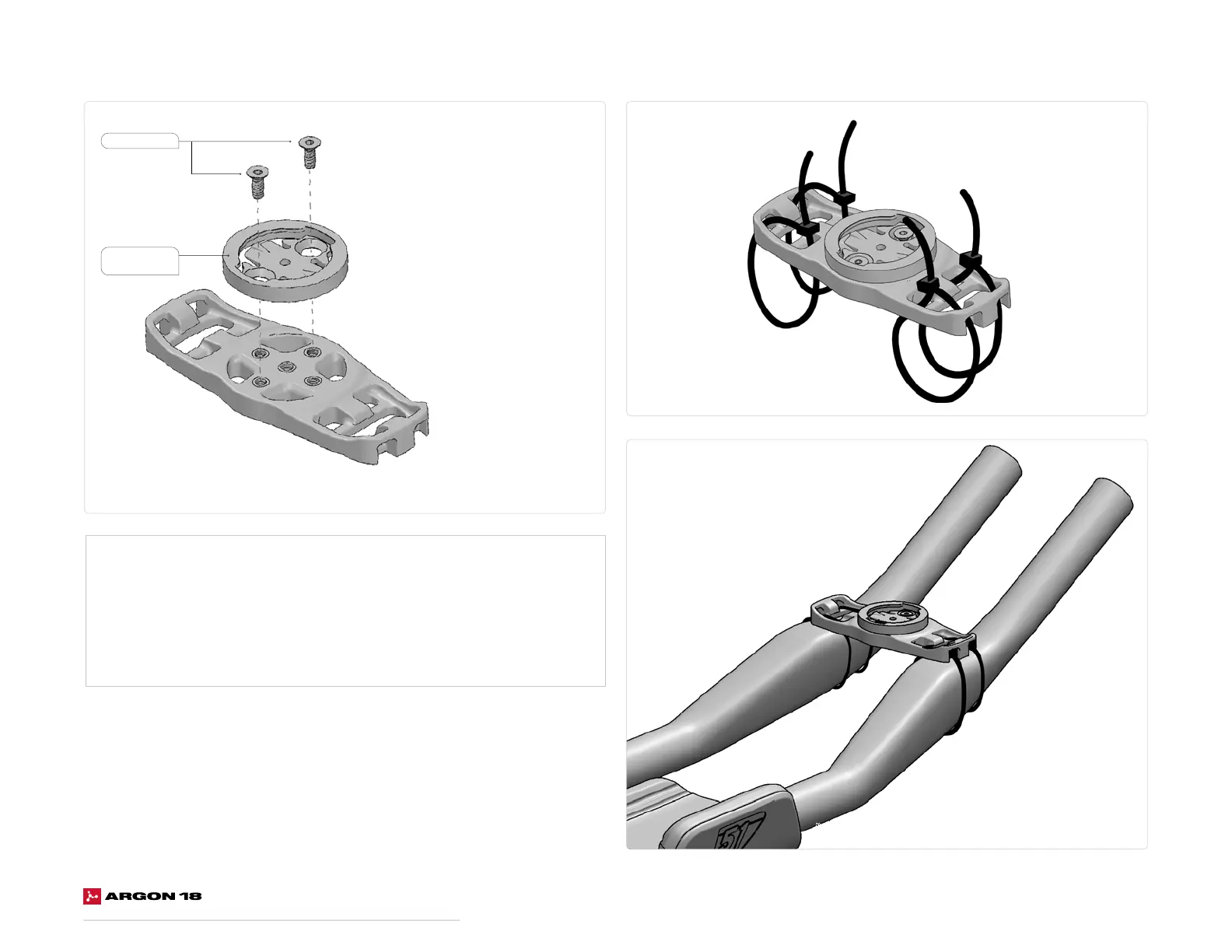
20. computer Mount Assembly
1. Choose the right mounting puck for your computer.
*Not supplied with frameset*
2. Screw the mounting puck onto the computer mount.
3. Use cable ties to attach it to the extensions.
4. Cut the excess cable tie and remove any sharp edges with a cutter.
M3 x 8mm
Mounting Puck
*Not included














 To Next Page