70
E-119TRI+DISC 345A / 345B: ASSEMBLY GUIDE
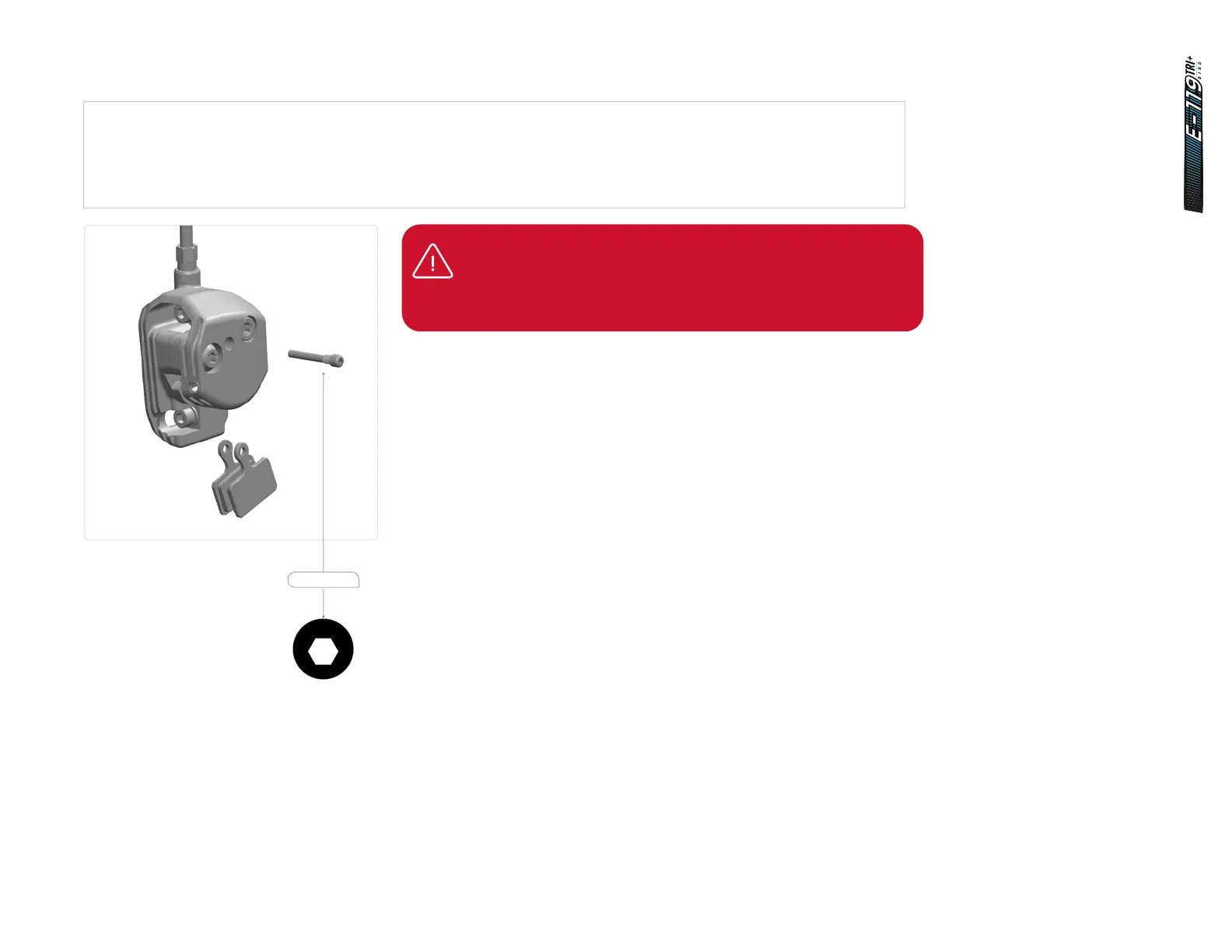
22.2 Brake pad change
1. Position each pad on an opposite side of the holder so that the two braking surfaces are facing each other.
2. Taking care not to touch the braking surfaces, push the pads in the holder together and insert into the caliper so that the
protruding lip with the retainer bolt (81549) hole is aligned with the bolt hole caliper.
3. Insert the retainer bolt and tighten it with a 3mm Allen key. Final tightening torque should be 3 - 5 Nm.
IMPORTANT:
New pads require about 30-40 full stops to achieve their optimum
braking power. This process is called bedding-in. After bedding-in is
complete, you may need to reajust the pads.
4
6Nm
2.5
1Nm
4
5.5Nm
4
7Nm
2
HT-1/4
5
12Nm
2
2Nm
3
3Nm
4
3Nm
8
35Nm
2.5
HT
3
HT
40Nm
4Nm
T25
T25
4
3Nm
10
HT
2.5
5
9Nm
2.5
HT-2
2.5
HT-5
2.5
2Nm
3
2.5
HTHT
3
4Nm
81549















 To Next Page