13
Compact Printer Series - User’s Manual
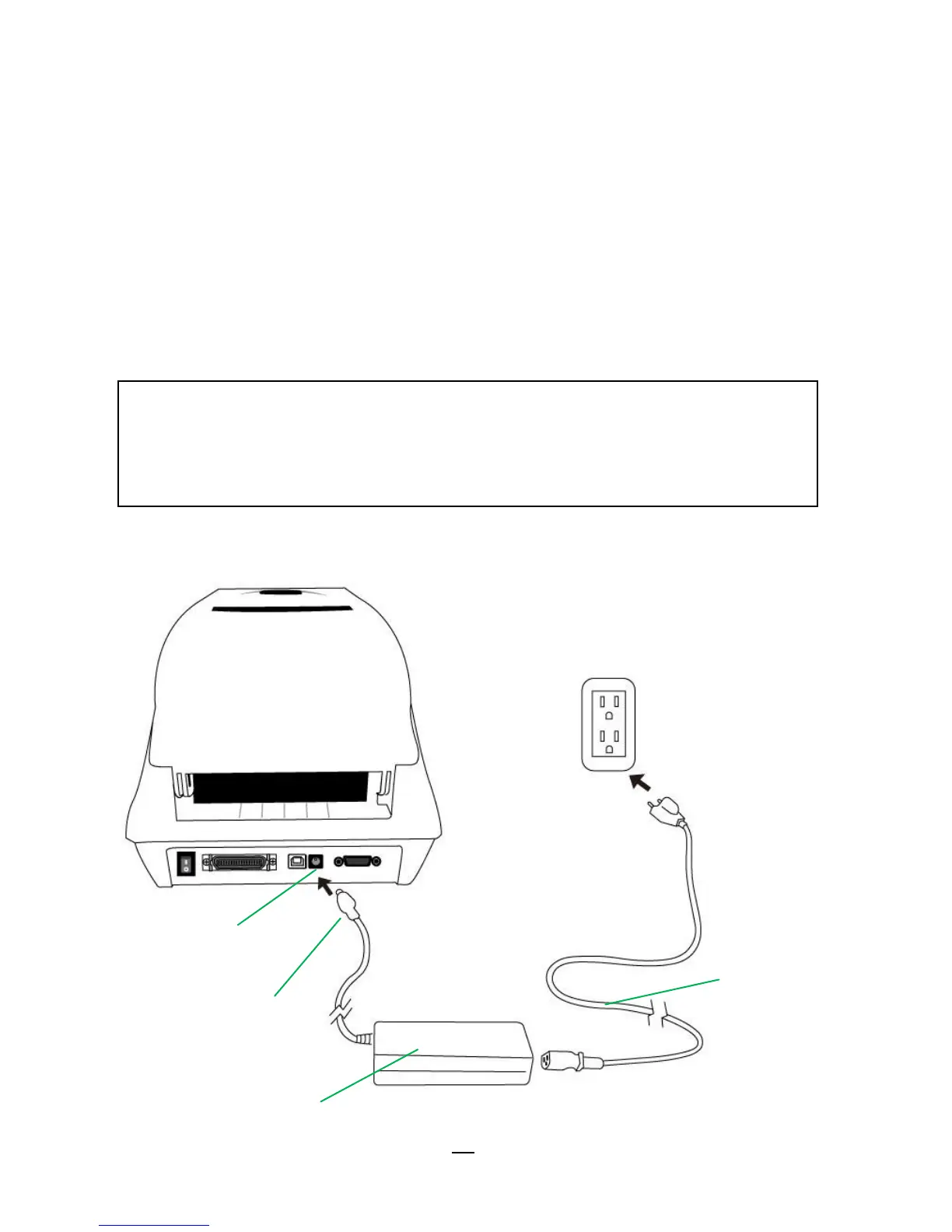
Attaching Power
1. Make sure the printer’s power switch is in the off position (down).
2. Insert the AC power cord into the power supply.
3. Insert the power supply’s power connector into the printer’s power
jack.
4. Plug the other end of the power cord into an appropriate grounded
AC electrical outlet.
CP-2140, CP-2140Z, CP-3140L, CP-3140ZL



 To Next Page