80
Compact Printer Series - User’s Manual
Rotary Cutter and Guillotine Cutter Settings
Before printing and cutting tasks, please make sure whether the
cutter in use is Rotary Cutter, or Guillotine Cutter. Then select proper
settings via Seagull Driver for printer. The following installation steps
are based on CP-2140 as an example.
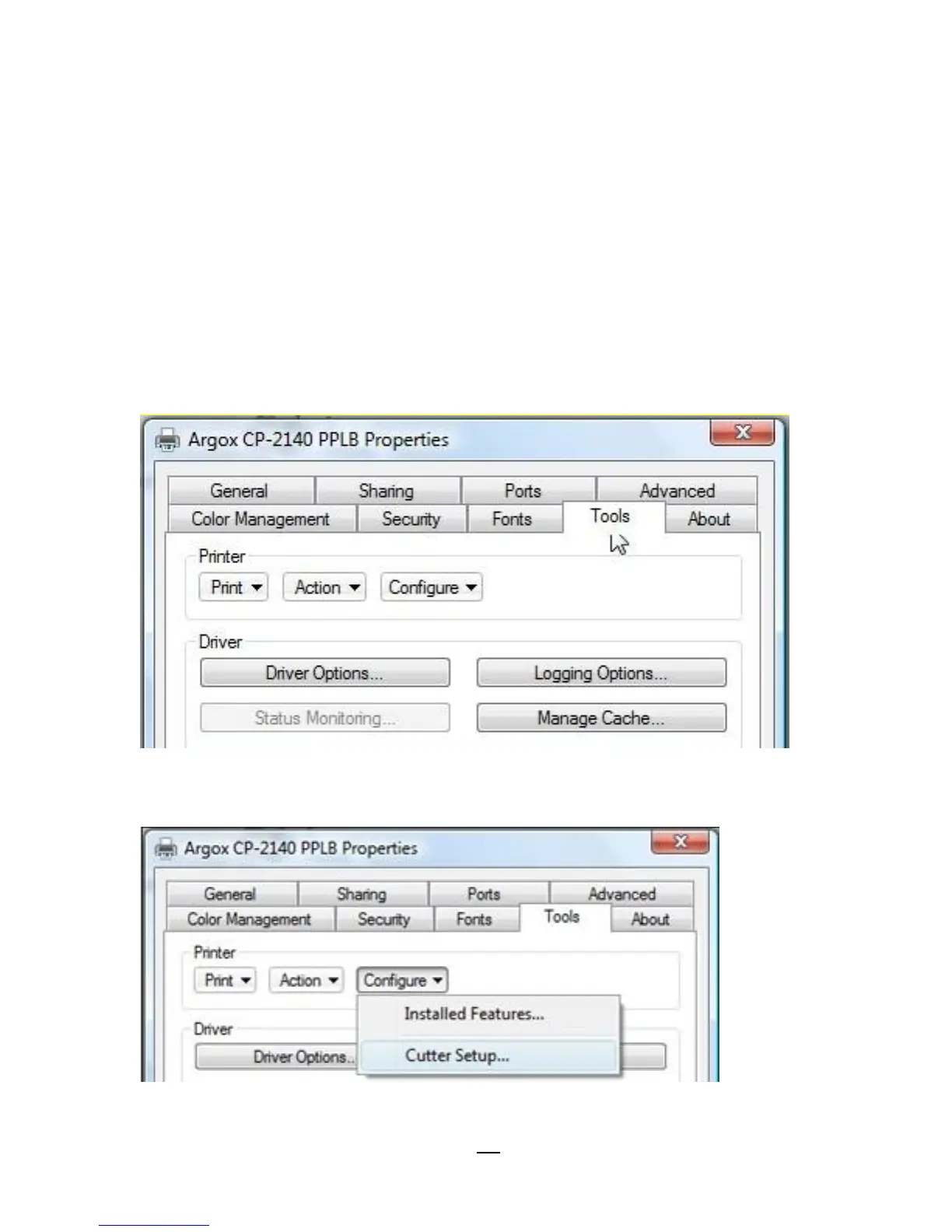
1. Check CP-2140 driver. Go to the prompt of Printer Properties, click
on the tag, “Tools’:
2. Click the “Configure” setting of driver, select “Cutter Setup”:



 To Next Page