50
Compact Printer Series - User’s Manual
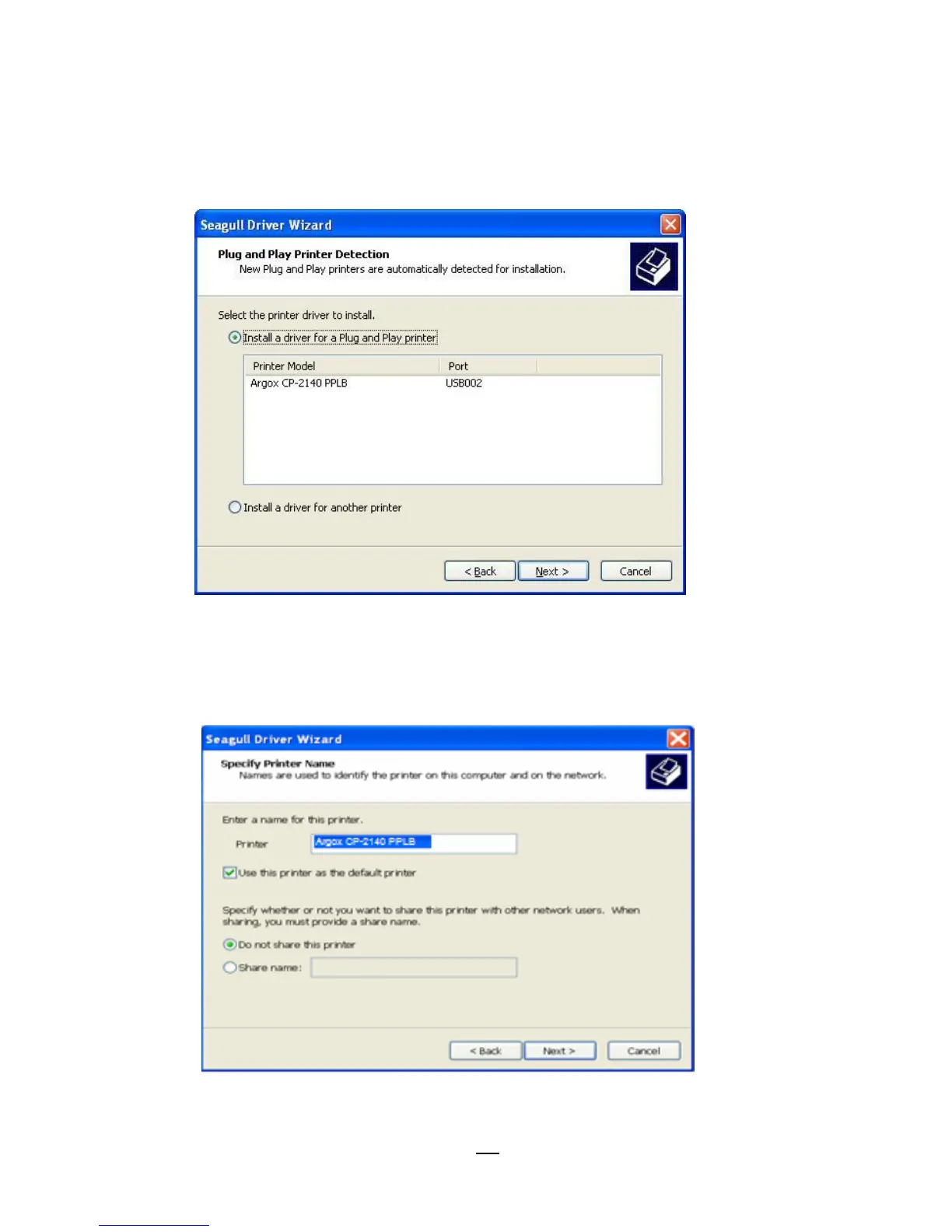
5. On the Seagull Driver Wizard prompt, select the first radio
button to “Install a driver for a Plug and Play printer”:
Then click “Next.”
6. Enter Printer name (i.e. Argox CP-2140 PPLB) and select "do
not share this printer”, and click "Next"



 To Next Page