77
Compact Printer Series - User’s Manual
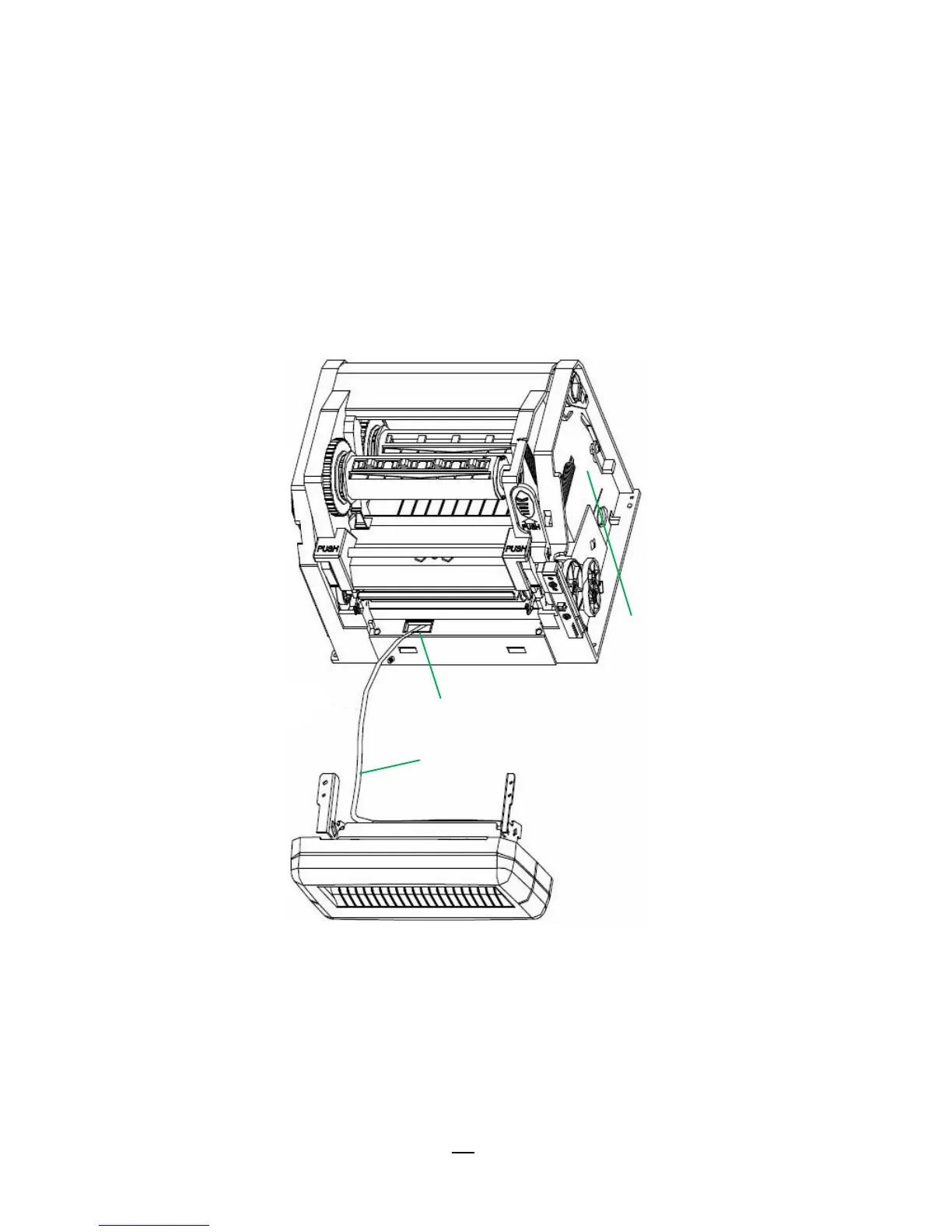
7. Remove Mylar Film from Printer Chassis. Thread Cutter
Cable through the hole where Mylar Film locates, and then
connect to JP9 connector (CUTTER) on printer main board.
Cutter Cable should go though the hooks under Printer Chassis to
manage cables better.
Make sure Cutter Cable go upon the font side of Middle Cover.
8. Assemble back Printer Chassis and Middle Cover.
9. Pull the font side of Middle Cover. Then assemble back with
Bottom downward.
10. Fix the two screws to Bottom.
11. Install Cutter Module by fixing Cutter Bracket (item 6) on Printer



 To Next Page