User’s Manual 28
3.9 Bluetooth Setting
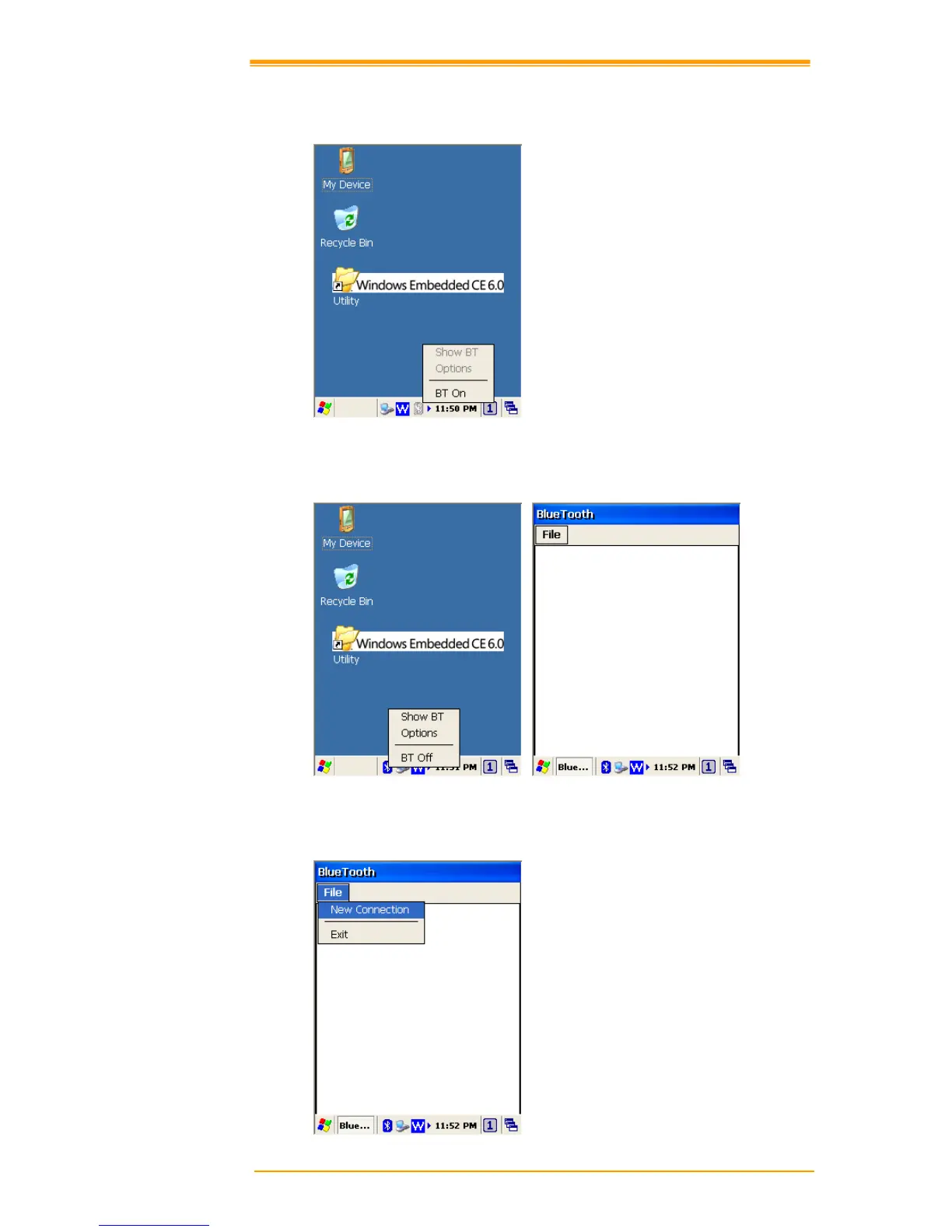
1. Please enable Bluetooth first like Figure 3-17.
Figure 3-17 Enable Bluetooth
2. After enable Bluetooth, please select Show BT like figure 3-18
Figure 3-18 Show BT
3. On Bluetooth manager screen, select File New Connection like Figure 3-19.
Figure 3-19 Bluetooth Connection



 To Next Page