User’s Manual 52
8.3.3 Dialing
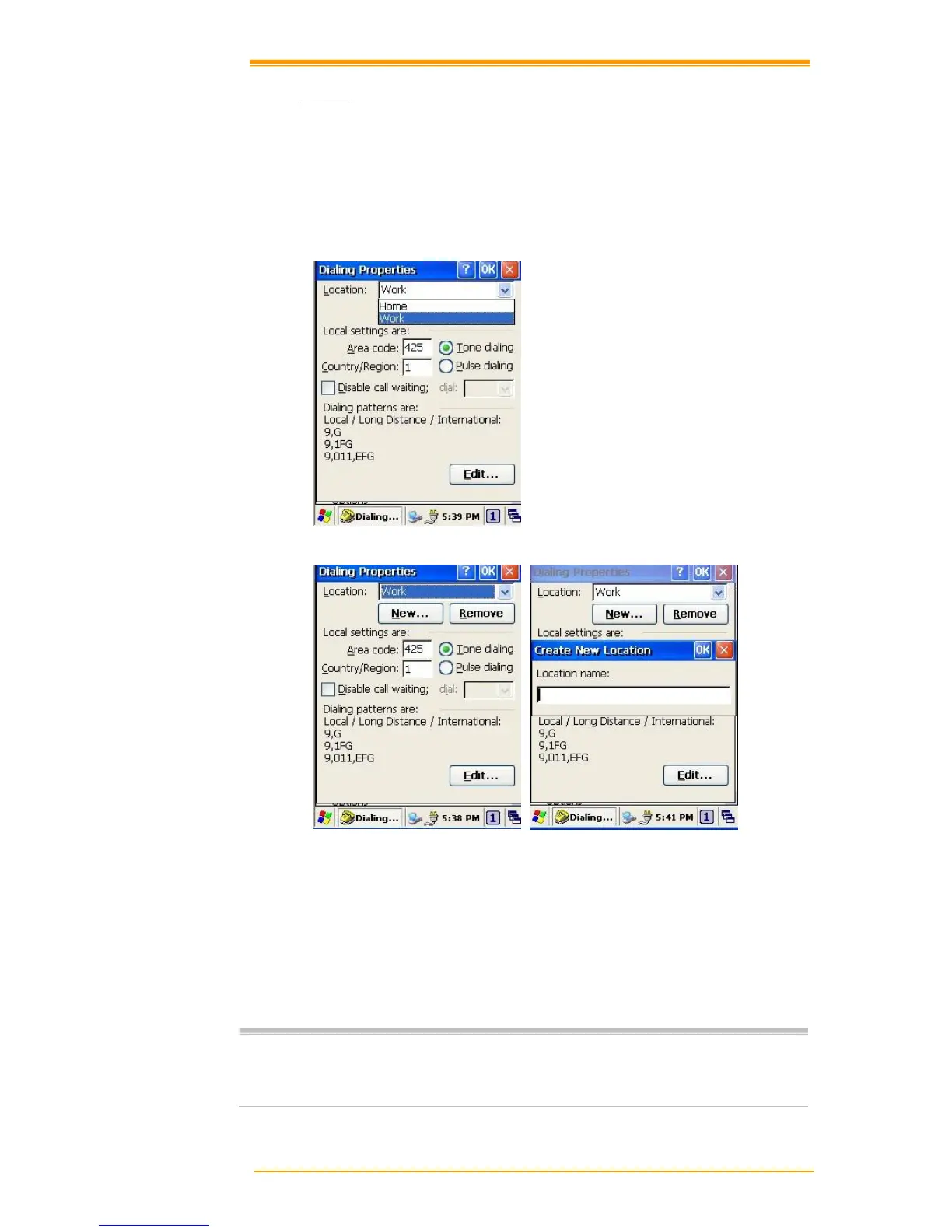
Dialing Properties
1. In the When dialing from list, select the Location where you want to change settings.
2. To create a new location, select New. Enter the name of the location, and then select OK
3. Enter or Edit the area code and local country code as needed.
Figure 8-13 Dialing Properties -1
Figure 8-14 Dialing Properties -2
4. In Dial using, select Tone dialing or Pulse dialing. Most phone lines are tone.
5. To automatically disable call waiting, select Disable call waiting by dialing, select the
appropriate number sequence in the list, or enter a new sequence.
Editing dialing patterns
1. Using the codes listed, revise the dialing patterns as needed.
If you need to use characters other than the ones listed here, use manual dialing.
Hyphens and spaces in dialing strings are ignored.
Some modems may not respond to the some characters, even though your device
lets you add them to the dial string.



 To Next Page