EasyManua.ls Logo

Aries 2081300 - User Manual

Aries 2081300
2 pages
Print Icon
To Next Page IconTo Next Page
Loading...
PAGE 1 • 2081300-INS-RA • 800.798.0813 • NEED ASSISTANCE? ARIESAUTOMOTIVE.COM
Product Image
Notes and Maintenance
Before you begin installation, read all instructions thoroughly.
Proper tools will improve the quality of installation and reduce the time required.
For black finishes, mild soap may be used to clean the product.
Refer to the table to the left when securing hardware during the
installation process to help prevent damage to the product or vehicle.
Level of Difficulty
Easy
Parts List
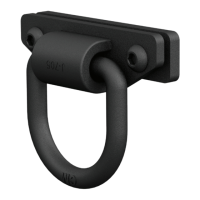
2 D-ring
4 Button head bolt,
M12 - 1.75mm x 25mm
2 Neoprene rubber rod
2 Back plate
Tools Required
Allen wrench, M8
Scan
for helpful
install tips
INSTALLATION MANUAL 2081300
Torque Specifications
METRIC
M6 bolt 3 ft.-lbs.
M8 bolt 7 ft.-lbs.
M10 bolt 16 ft.-lbs.
M12 bolt 28 ft.-lbs.
SAE
1/4" bolt 3 ft.-lbs.
5/16" bolt 7 ft.-lbs.
3/8" bolt 16 ft.-lbs.
7/16" bolt 20 ft.-lbs.
1/2" bolt 28 ft.-lbs.
Question and Answer IconNeed help?

Do you have a question about the Aries 2081300 and is the answer not in the manual?

Summary

Parts and Tools for Installation

Parts List

Lists components included: D-ring, button head bolts, neoprene rubber rod, and back plate.

Tools Required

Specifies the necessary tool for installation: an Allen wrench, M8.

Torque Specifications

Provides torque values for various bolt sizes (METRIC and SAE) crucial for secure mounting.

Important Notes and Maintenance

Advises reading instructions, using proper tools, and cleaning black finishes with mild soap.

Installation Steps

Step 1: Locate and Insert Back Plate

Locate bumper slots and insert back plate into the large slot below.

Step 2: Prepare D-ring Assembly

Flip D-ring and insert rubber rod into the hole on its back.

Step 3: Align and Secure D-ring

Align back plate, place D-ring, secure with M12 bolts, snug but do not fully tighten. Repeat for passenger side.

Step 4: Final Tightening and Leveling

Adjust and level D-ring. Tighten hardware per specs on page 1. Installation complete.

Overview

This document is an installation manual for ARIES D-rings, part number 2081300. These D-rings are designed to be installed on a vehicle's modular bumper, specifically on the driver and passenger sides. The installation is rated as "Easy" in terms of difficulty.

Function Description:

The ARIES D-rings serve as recovery points for a vehicle. They provide a secure attachment point for recovery straps, ropes, or chains, allowing for the safe extraction of a stuck vehicle or for other towing and recovery operations. The design includes a D-ring component and a back plate, secured with button head bolts, to ensure a robust connection to the vehicle's bumper. The inclusion of a neoprene rubber rod suggests a feature to prevent rattling or provide a snug fit, enhancing the overall user experience and product longevity.

Important Technical Specifications:

  • Part Number: 2081300
  • Components:
    • 2 D-rings
    • 4 Button head bolts, M12 - 1.75mm x 25mm
    • 2 Neoprene rubber rods
    • 2 Back plates
  • Hardware: M12 button head bolts are used for securing the D-rings.
  • Torque Specifications (for M12 bolts): 28 ft.-lbs. This is a critical specification for ensuring the D-rings are securely fastened without over-tightening or damaging the components. The manual also provides a comprehensive list of torque specifications for various bolt sizes (M6, M8, M10, M12, 1/4", 5/16", 3/8", 7/16", 1/2"), indicating that these D-rings are part of a broader product line or system that might use different fasteners.
  • Tools Required: M8 Allen wrench.

Usage Features:

  • Modular Bumper Compatibility: The D-rings are specifically designed to integrate with the existing slots on a vehicle's modular bumper, indicating a custom-fit solution.
  • Driver and Passenger Side Installation: The kit includes components for both sides of the vehicle, providing symmetrical recovery points.
  • Secure Attachment: The use of a back plate and button head bolts ensures a strong and stable connection to the bumper, crucial for recovery operations where significant forces may be applied.
  • Neoprene Rubber Rod: This component is inserted into a hole on the back of the D-ring, likely to provide cushioning, prevent metal-on-metal contact, reduce noise, or enhance the snugness of the fit.

Maintenance Features:

  • Cleaning: For black finishes, the product can be cleaned using mild soap. This suggests the D-rings may have a powder-coated or similar finish that requires gentle cleaning to maintain its appearance and integrity.
  • Pre-Installation Review: The manual emphasizes reading all instructions thoroughly before beginning installation, which is a key maintenance practice to prevent errors and ensure proper function.
  • Proper Tool Usage: The manual highlights that using proper tools will improve installation quality and reduce time, indirectly contributing to the longevity and proper functioning of the installed product.
  • Torque Adherence: Adhering to the specified torque values during installation is crucial for preventing damage to the product or the vehicle. This is a vital maintenance step that ensures the hardware remains secure under operational stresses.
  • Regular Inspection (Implied): While not explicitly stated as a maintenance feature, the nature of recovery equipment implies that regular inspection of the D-rings and their mounting hardware for wear, damage, or loosening would be a critical maintenance practice to ensure safety and reliability during use.

The manual provides clear, step-by-step instructions with accompanying images for the installation process, making it user-friendly for individuals performing the installation themselves. It also includes contact information for assistance, underscoring a commitment to customer support.

Aries 2081300 Specifications

General IconGeneral
BrandAries
Model2081300
CategoryAutomobile Accessories
LanguageEnglish

Related product manuals