
 Need help?
Do you have a question about the Ariston HOTPOINT and is the answer not in the manual?
Details the dimensions and placement options for installing the oven within a cabinet.
Explains the safety requirements and procedures for connecting the oven to the electrical supply.
Explains how water is converted to steam within the oven cavity for cooking.
Details crucial safety precautions for operating and using the oven at home.
Guide to using the MANUAL cooking programme for direct cooking operations.
Details various pre-programmed defrosting and reheating modes with temperature and time.
Guide to setting a cooking cycle to start at a future time.
Troubleshooting for water-related issues and how to refill the tank.
Information on who to contact for repairs and necessary reference details.
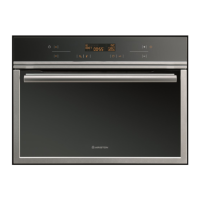
This document provides instructions for the use and maintenance of a Hotpoint steam oven.
The Hotpoint steam oven is designed for healthy and natural cooking, preserving the full flavor of foods without the need for added fats. It operates by transforming water from a removable tank into steam, which then cooks the food. This method prevents food from sticking or drying out and eliminates cooking smells. The oven can cook meat, fish, and vegetables simultaneously, and is also suitable for reheating pasta, rice, and mashed potatoes. It facilitates the cooking of delicate items like custard creams and tarts, and can be used for blanching, defrosting, or keeping foods warm.
The oven features various pre-programmed cooking modes tailored for different food types and cooking needs. These include:
The oven also supports a manual cooking program where users can adjust cooking time and temperature (from 100°C down to 50°C).
To begin using the oven, first ensure the water tank is filled to the maximum level and firmly locked into position. The oven is activated by pressing the ON/OFF button. The control panel features a display, up and down arrows for navigation, and various buttons for temperature setting, time setting, and control locking. The child safety function can be activated by pressing a specific button, which locks the oven controls and displays a symbol on the screen. This function can be activated or deactivated whether the oven is on or off.
Setting the clock:
Immediate cooking:
Programming cooking with a delayed start:
In case of a power cut, if the oven temperature is not too low, the program will restart from where it left off. However, any programs not yet started will need to be reprogrammed. The oven emits beeps when a cooking cycle is finished, which can be stopped by pressing the START button. If a "no water" indicator appears, accompanied by a beep and a "Fill your water tank" message, it means the tank is empty or poorly seated. After checking these points, close the door and press START to restart the oven.
Regular maintenance ensures the longevity and optimal performance of the oven.
Cavity: After each use, wipe the cavity with a dry cloth once the steam generator has cooled, or leave the door open to air-dry.
Water intake tube: Remove the tube by unscrewing it. Clear any hard-water deposits using a thin, pointed object like a skewer.
Steam generator: Pour ½ cup of white spirit vinegar into the generator. Let it sit for a few minutes, then clean and rinse with water. Avoid using sponges, abrasive powders, or coffee maker cleaning agents.
Gutter: Remove the gutter by pulling it upward, wipe it clean, and return it to its position using the three notches provided.
Outer surfaces: Clean the electronic programmer window and oven door with a window cleaning product applied with a soft cloth. Do not use abrasive creams or scouring pads.
Changing the bulb:
The oven should not be cleaned with a steam cleaner. Abrasive products or metal scrapers should not be used on the oven door to avoid scratching the surface or breaking the glass. The use of demineralized water is prohibited for the steam generator; bottled mineral water is preferred to prevent deterioration of the steam generator surface.
 General
| Type | Built-in |
|---|---|
| Fuel Type | Electric |
| Number of Ovens | 1 |
| Energy Rating | A |
| Timer | Yes |
| Cleaning | Catalytic |
| Dimensions | 595 x 595 x 550 mm |


 To Next Page