26
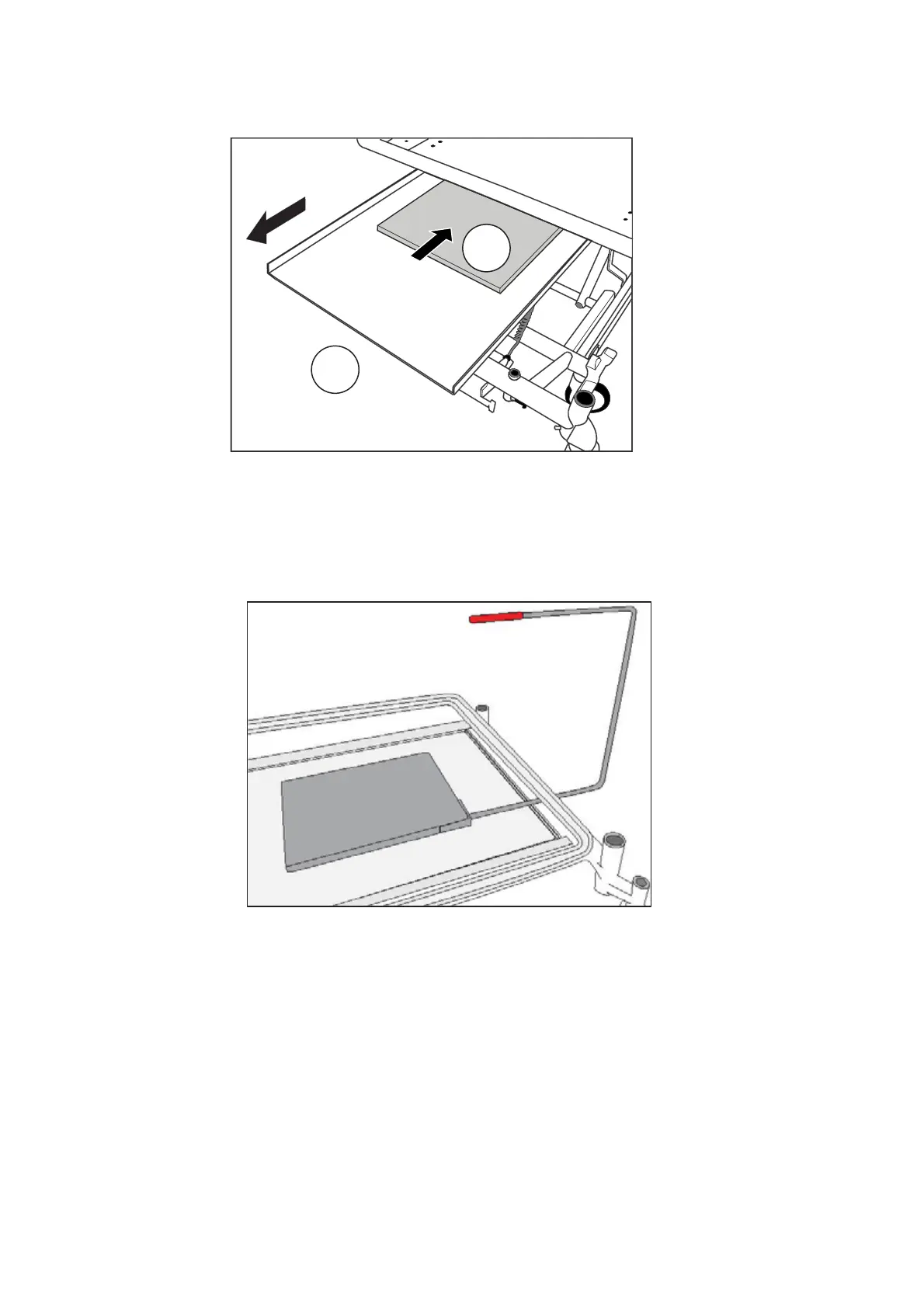
Release the knob to hold the tray in the fully open position (3).
Position the X-ray cassette (4) on the tray with its bottom edge
against the lip at the foot end of the tray.
Positioning the X-ray cassette
Pull the knob and slide the tray underneath the backrest.
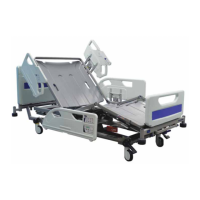
The red moulding on the top of the X-Ray sitting tool indicates the top
right hand corner of the X-Ray cassette. Use this feature to assist in
accurate positioning.
X-Ray Sitting Tool
Release the knob to hold the tray in one of the latching positions.
After use, pull the tray out to the fully open position and remove the X-
ray cassette. Return the tray to the closed position below the backrest
and replace the head board.
3
4


 To Next Page