21
Armstrong International
Parc Industriel Des Hants-Sarts, 2ème Avenue No. 4, Haerstal, B-4040, Belgium
armstronginternational.com/brain
Control Software
The Brain
®
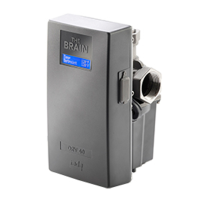
DRV80 control software has been designed to control all aspects of the DRV function.
Check the DRV80 is connected to the PC / Laptop device. Double click The Brain® DRV
Programming Software icon on the desktop or search for and run the file Brain DRV
Programming Software.exe.
There are three options for adjusting the DRV80 settings:
1. A Microsoft Windows based Laptop / PC Computer with The Brain® DRV Programming Software and a
USB Cable.
2. A Web Browser via the integral serial port and BrainScan® supplied by Armstrong.*
3. A Building Automation System (BAS).
* This option is detailed in a separate Installation, Operation and Maintenance (IOM) Guide for BrainScan®.
Available by contacting Armstrong technical support.
Introduction


 To Next Page
 Loading...