29
Armstrong International
Parc Industriel Des Hants-Sarts, 2ème Avenue No. 4, Haerstal, B-4040, Belgium
armstronginternational.com/brain
Alerts - Explained
DRV80 will issue an alert which is activated upon a breach of pre-established above setpoint and below
setpoint values (factory default +2 °C, -2 °C) located under the Setpoints tab. Upon activation, the display on
the DRV80 will read Temp High or Temp Low. This advisory feature cannot be disabled.
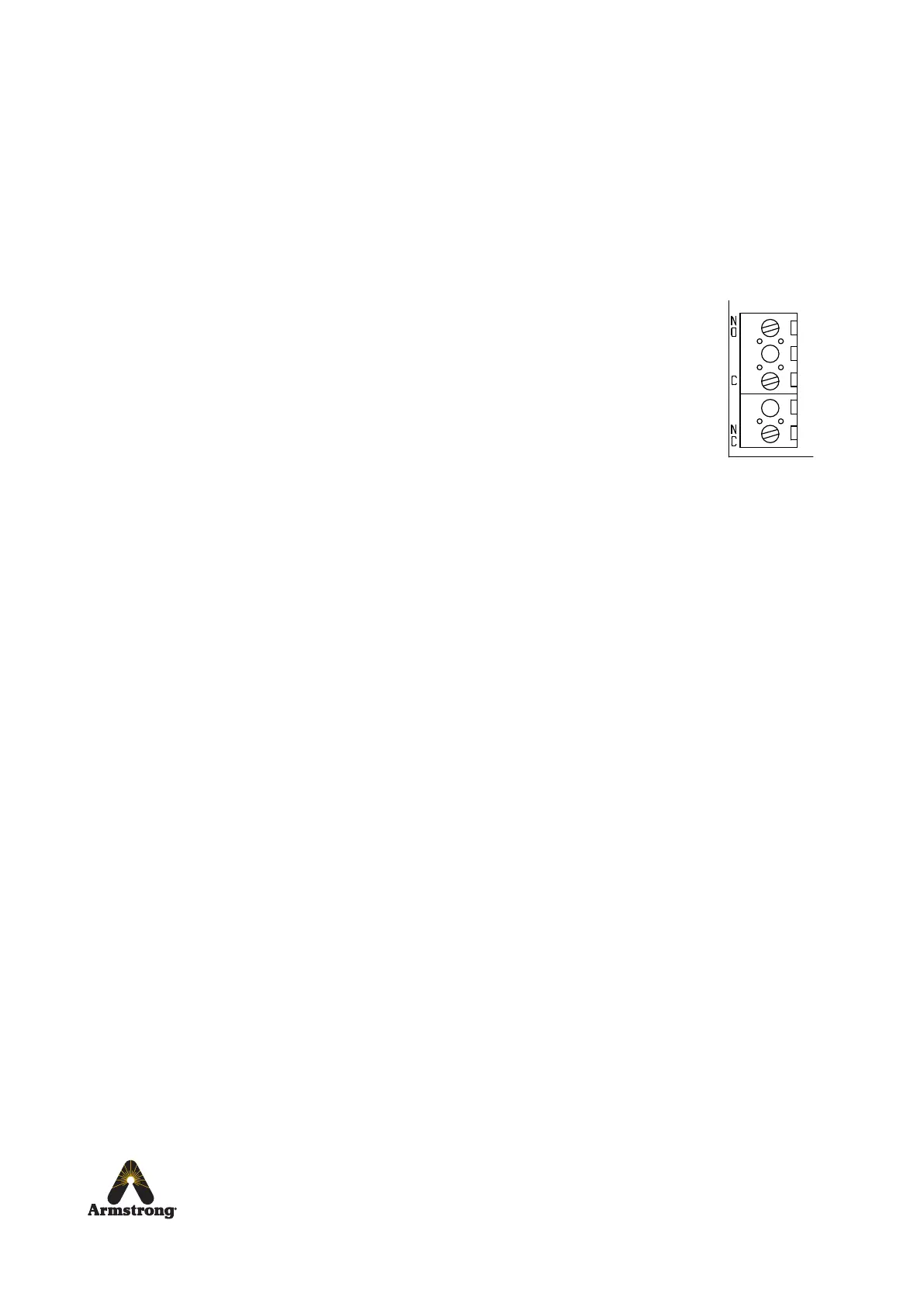
If the Activate Relay on Alert box is checked, this will enable a feature which can be used to activate an auxiliary
alarm or solenoid valve. A connection is made to a set of single pole changeover relay contacts fused at 2 Amps
(see Specifications). When the DRV80 is operating normally, C terminal and NO terminal of the relay have
continuity. During the following circumstances, the C terminal and NC terminal have continuity:
1. Power failure.
2. Start up sequence.
3. Outlet temperature causing an alert signal
(can be disabled via the Setpoints tab of The Brain DRV Programming Software)
4. Outlet temperature causing an error signal.
5. Internal fault on PCB.
6. Battery failure.
7. Thermistor failure.
DRV80 will also issue an alert if the preset Error Temp value located under the Setpoints tab is exceeded
(factory default 70 °C). In the event of an Error Temp, the display on the DRV80 will read Error Temp, the
aforementioned relay will be activated and the DRV80 will assume a position where no hot water can enter the
DRV through the hot water inlet. This safety feature cannot be disabled.
The Alert and the Error Temp activation can be relayed to a Building Automation System (BAS), a Local Area
Network (LAN) or can be accessed online via the integrated Modbus and BrainScan® connection port if
connected and programmed accordingly.
Relay
(PCB, see page 47)


 To Next Page
 Loading...