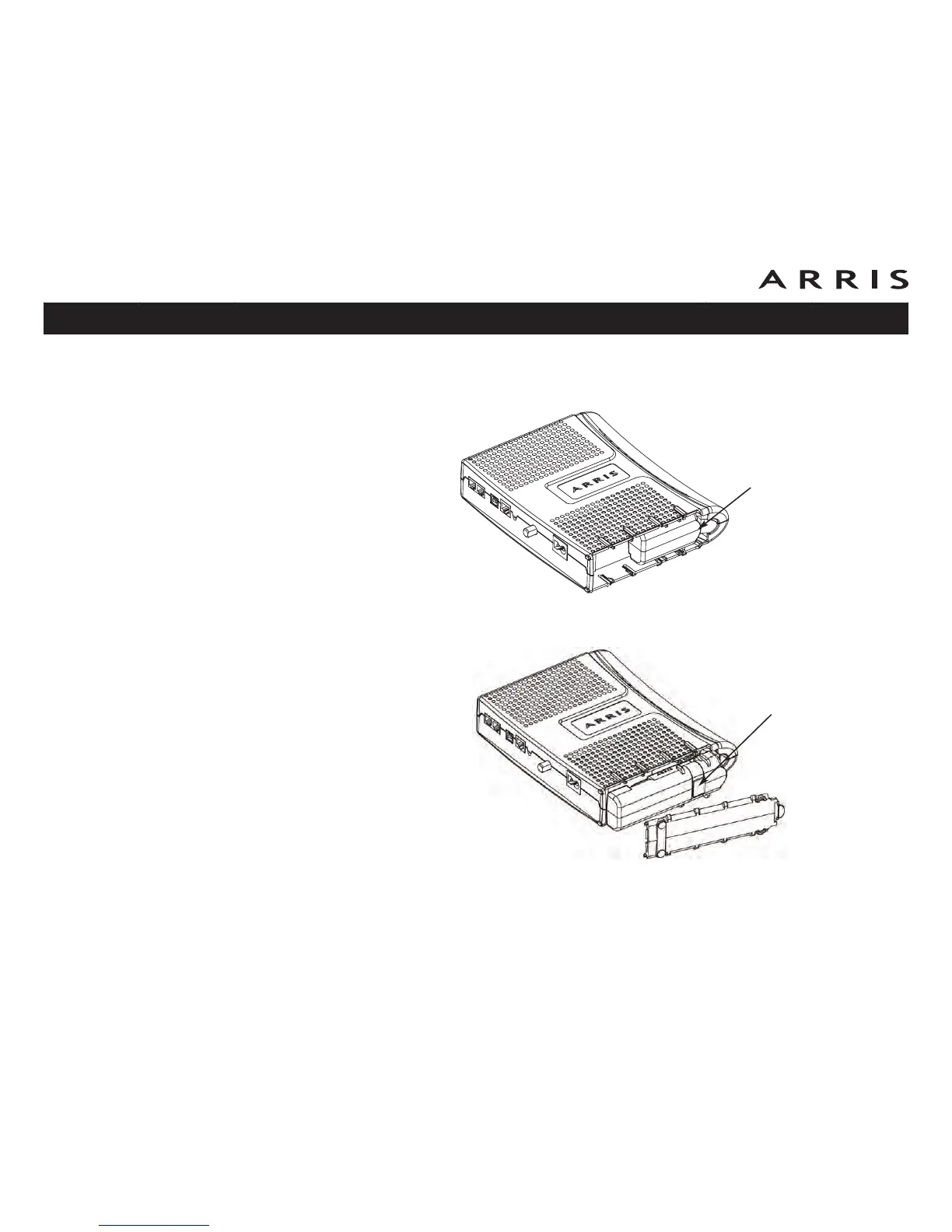
2a Basic Backup battery removal: Insert a finger behind the battery tab where
shown below, and place your thumb over the other end of the battery. Pull
out gently until the battery disconnects and slides out of the bay.
2b Extended Backup battery removal: Pull the strap until the battery discon-
nects and slides out of the bay.
Touchstone TM602 Telephony Modem User’s Guide
Safety
Getting
Started
Battery
Installation Installation
USB
Drivers
Ethernet
Configuration Usage Troubleshooting Glossary
20
Battery
Pull Strap
Tab














 To Next Page