38
Safety
Getting
Started Installation
Ethernet
Configuration Usage Troubleshooting Glossary
Touchstone DG1660 Data Gateway User’s Guide
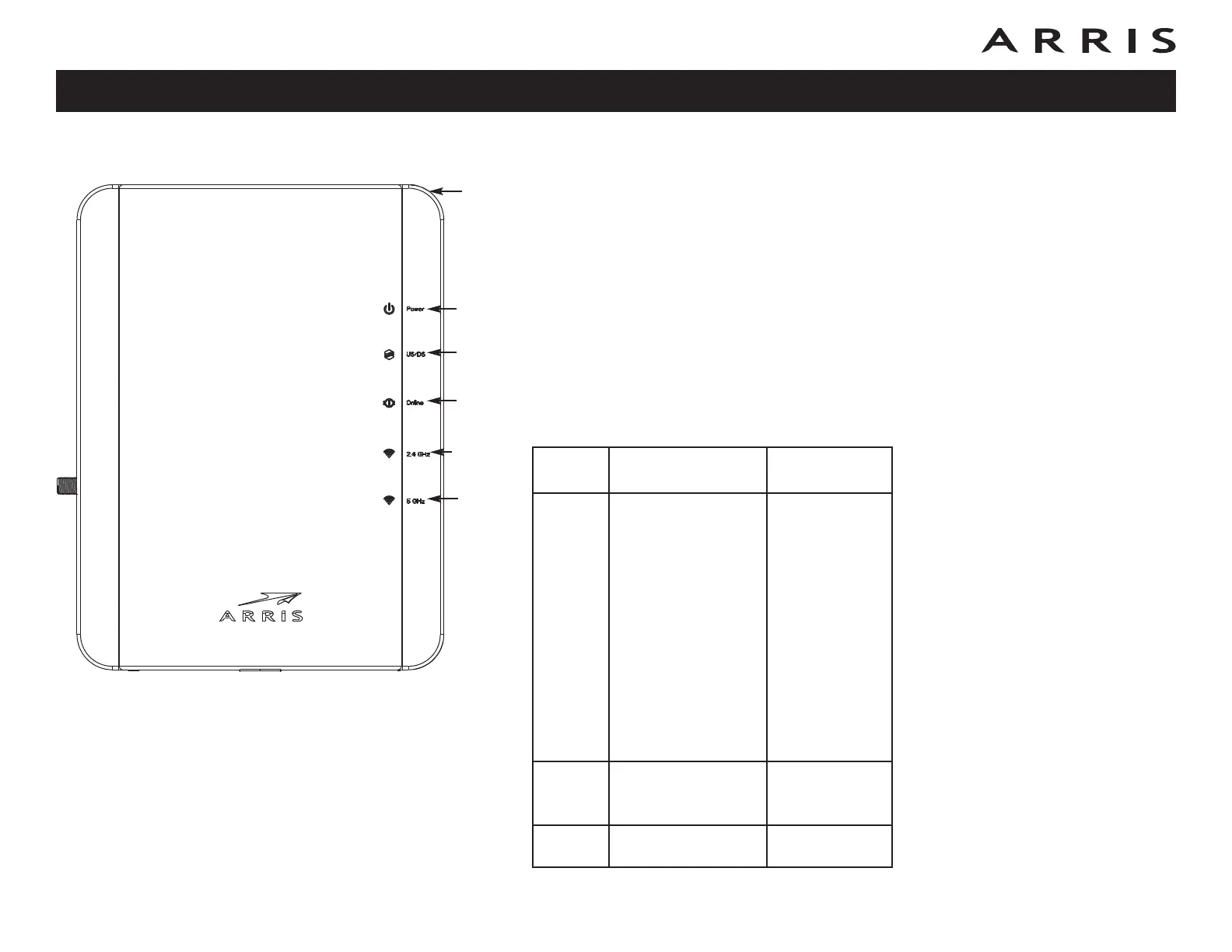
Indicator Lights for the DG1660
The Data Gateway has seven LED indicator lights to assist in trouble shooting.
Wiring Problems
If the Data Gateway begins flashing all its lights for more than 10 seconds, this in-
dicates a problem with the telephone wiring — the red and green wires may be
shorted (touching), or there may be undesired voltage on the lines. If this pattern
persists for more than 10 seconds, disconnect the telephone lines from the Data
Gateway, then call a wiring technician for assistance.
Patterns: Normal Operation (LAN and Telephone)
The following table shows light patterns for the Ethernet and wireless LANs during
normal operation.
Mode
Ethernet
(rear panel)
2.4 GHz/
5 GHz WiFi
AC
Power
Green LED On =
Computer with 1
Gbps port connected
Amber LED On =
Computer with 100
Mbps/10 Mbps port
connected
Amber/Green LED
Flash = Computer
activity
Both LEDs Off =
Computer not
connected
On = WiFi
Enabled
Off = WiFi
Disabled
Flash =
Computer
Activity
No AC
Power
Off Off
Firmware
Upgrade
(normal operation) (normal operation)
P
ow
er
US/DS
Online
2.4 GHz
5 GHz
WPS















 To Next Page