Chapter 6: Using the Data Gateway
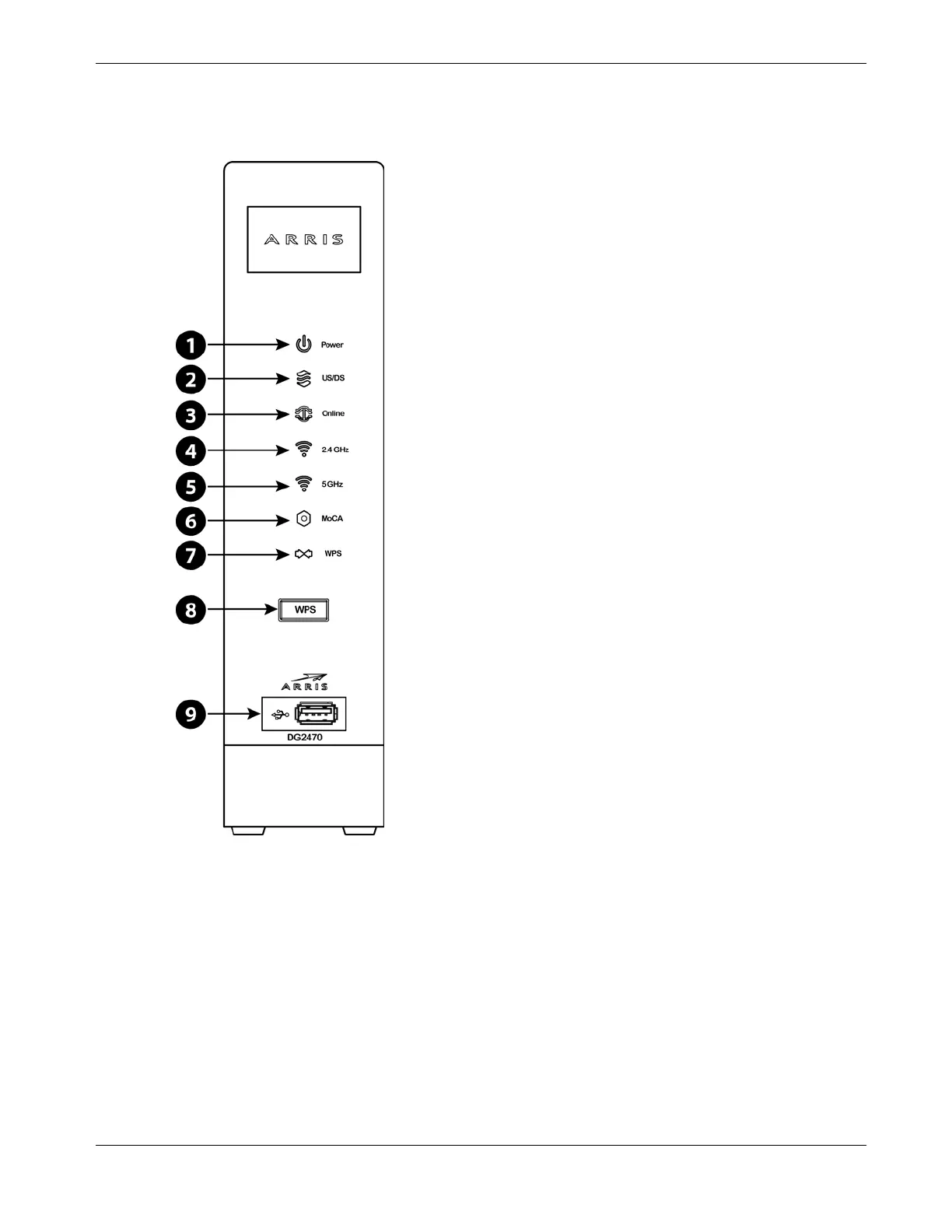
Indicator Lights for the DG2470
The Data Gateway has LED indicator lights to assist in troubleshooting.
1. Power
2. US/DS
3. Online
4. 2.4 GHz WiFi
5. 5 GHz Wi-Fi
6. MoCA
7. WPS
8. WPS Button
9. USB port
Patterns: Normal Operation (LAN)
The following table shows light patterns for the Ethernet, MoCA and wireless LANs during
normal operation.
Release 24 STANDARD 1.3 February 2015 Touchstone DG2470 Data Gateway User Guide 29














 To Next Page