TCP/IP Configuration for Windows 7
Follow these steps to configure the Ethernet interface on a Windows 7 operating
system.
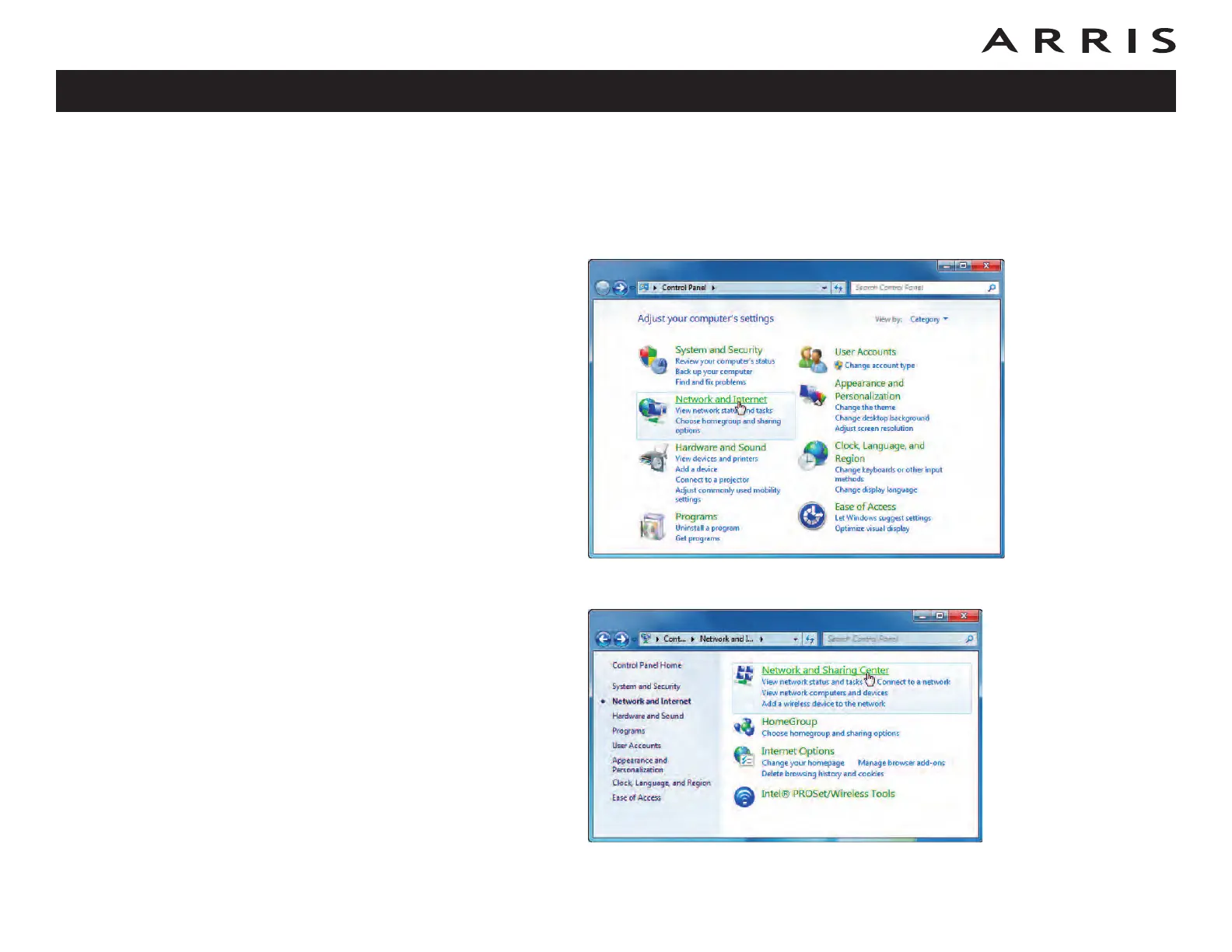
1 Open the Windows 7 Control Panel.
2 Click Network and Internet.
Touchstone DG860 Data Gateway User’s Guide
Safety
Getting
Started Installation
Ethernet
Configuration Usage Troubleshooting Glossary
28














 To Next Page